The Evolution of C2 Communication: Custom TCP Protocols

?????

tunneling abuse

Introduction


Command-and-control (C2, C&C or CNC) servers are used to remotely manage, control, and communicate with compromised systems within a network. They enable attackers to execute commands, exfiltrate and/or encrypt data for ransom, and coordinate other malicious activities. The effectiveness and reach of malware are significantly hindered, if not altogether eliminated, without C2 communication. According to some industry estimates, 60% to 70% of malware variants rely on C2 servers for communication. This statistic alone should give us an idea of how critical it is for security teams, and their tools, to be able to block and hunt for C2 traffic.

HTTP/HTTPS have traditionally been the go-to protocols for C2 communications over TCP because nearly all organizations rely on web traffic for legitimate purposes. The fact that HTTP/S traffic typically uses common ports (80 for HTTP and 443 for HTTPS), which are often permitted through firewalls, increases the chances of bypassing perimeter security.

Increasingly sophisticated detection methods are helping us to more easily identify well-known C2 communication methods. Unsurprisingly, attackers have adapted in response to our advances. Some of the tools in their updated arsenal include impersonating legitimate protocols, as well as using custom protocols, non-standard protocol/port pairings, and non-application layer protocols. One such technique our Malware Patrol team has noticed is the move toward the use of non-HTTP/S communication over TCP.

In this blog post, we’ll focus specifically on this trend seen in our data by exploring the implications for threat detection & response and providing mitigation strategies. For more general information about C2s, check out our previous blog post and MITRE ATT&CK’s Command and Control tactic topic

Command-and-Control Channels: Many, Many TCP Options


Attackers’ ingenuity has brought about an impressive variety of C2 communication tactics. Their use varies depending on the capabilities of the malware being deployed, as well as the sophistication of the threat actor, their specific goals, the environment they’re targeting, and the need to avoid detection.

Below is an overview of the most common methods to establish C2 channels. Whenever applicable, we have included details about how TCP might be used to facilitate communication.

Most Used Protocols

  1. HTTP/HTTPS:
    • HTTP/HTTPS are among the most common protocols used by C2 servers.
    • HTTPS adds encryption, making it more challenging to detect malicious activity without decryption and deep packet inspection.
    • TCP-related: HTTP/HTTPS traffic is transmitted over the Transmission Control Protocol (TCP), which ensures reliable delivery of data packets between the client (infected host) and the server (C2 server). TCP’s connection-oriented nature allows for proper sequencing of the communication stream, making it suitable for C2 communications that require reliable data transmission.
  2. DNS:
    • DNS (Domain Name System) is often used for C2 communication because DNS queries and responses are typically allowed by firewalls and proxies. Threat actors can encode commands and data in DNS queries or responses, using techniques such as DNS tunneling.
    • TCP-related: While DNS queries typically use UDP (User Datagram Protocol) port 53 for quick and stateless connections, DNS can also operate over TCP, especially for larger queries and zone transfers. When DNS over TCP is used for C2 communication, it benefits from TCP’s reliability but might be easier to detect due to the less common use of DNS over TCP.
  3. IRC (Internet Relay Chat):
    • Although less common now, IRC was historically popular for C2 communication, especially with early botnets. IRC’s simplicity and ease of use made it a favored choice, but its predictable traffic patterns have led to a decline in its use as defenders became more adept at detecting it.
    • TCP-related: IRC operates over TCP port 6667, providing a reliable connection for the C2 server to send and receive commands and data. The TCP connection ensures that messages are delivered in order, which is critical for maintaining the session’s integrity during the C2 communication.
  4. FTP (File Transfer Protocol):
    • FTP is occasionally used to establish a C2 channel, especially in older or less sophisticated malware. It’s often employed for uploading stolen data from the infected host to the C2 server.
    • TCP-related: FTP uses TCP for establishing connections and transferring files. It typically operates over TCP ports 20 and 21. The reliable data transfer that TCP provides is essential for the successful upload and download of files between the infected host and the C2 server.
  5. Email Protocols (SMTP/IMAP/POP3):
    • Email is used by some C2 frameworks, where commands are delivered via email messages, and the infected host sends its responses back via SMTP, IMAP, or POP3.
    • TCP-related: Email protocols such as SMTP, IMAP, and POP3 rely on TCP for reliable message delivery. TCP’s connection-oriented nature ensures that email messages, including those carrying C2 commands, are transmitted reliably and in order.

Additional Communication Methods

  1. Social Media Platforms:
    • C2 traffic has been observed over social media platforms like Twitter, Facebook, and LinkedIn. Malware can embed commands in social media posts, hashtags, or comments, and the infected host can check these posts for instructions.
  2. Steganography:
    • Steganography involves hiding commands or data within images, videos, or other files, which are then transferred via standard protocols (like HTTP or HTTPS). This method makes detection significantly harder since the payload is hidden within legitimate-looking content.
  3. Peer-to-Peer (P2P) Networks:
    • P2P networks allow infected hosts to communicate with each other or with the C2 server without relying on a centralized server. This decentralization makes takedown efforts more complex and resilient to single points of failure.
    • TCP-related: P2P networks often rely on TCP to establish communication channels between nodes. TCP’s ability to provide error-checking and flow control is beneficial for maintaining stable connections in a decentralized P2P C2 infrastructure.
  4. Tor and Other Anonymity Networks:
    • Tor and similar anonymity networks provide a layer of obfuscation for C2 traffic, making it more difficult to trace the source or destination of the communication.
    • TCP-related: Tor operates over TCP, providing a reliable and encrypted communication channel that obfuscates the source and destination of the C2 traffic. TCP’s role is crucial in ensuring the integrity of the hidden service connections within the Tor network.
  5. Cloud Services:
    • Cloud services like Google Drive, Dropbox, and other legitimate file-sharing services have been exploited for C2 purposes. Commands and exfiltrated data can be stored or transferred through these services, blending in with normal, legitimate use.
  6. Custom Protocols:
    • Advanced threat actors sometimes develop custom protocols specifically designed for their malware. These protocols can be tailored to evade detection by traditional security tools and often use encryption or obfuscation techniques to further complicate analysis.
    • TCP-related: Some custom protocols developed by advanced threat actors may be built on top of TCP to leverage its reliability and connection-oriented features. This allows for stable and dependable C2 communication while evading detection by traditional security tools.
  7. Beaconing:
    • Beaconing is a method where an infected system periodically sends out signals (often very short and difficult to detect) to a C2 server to check in and await further instructions. These beacons can be transmitted via common protocols like HTTP/HTTPS, DNS, or even custom protocols.
    • TCP-related: Beaconing often uses TCP-based protocols like HTTP/HTTPS or DNS over TCP to ensure that the short, periodic signals sent by the infected system reach the C2 server reliably, despite their low visibility.


Emerging Trends in C2 Infrastructure

Emerging trends include the use of cloud-based serverless architectures by attackers for C2 infrastructure. This method enhances scalability and complicates the attribution of attacks to specific threat actors. Additionally, some advanced threat groups are experimenting with blockchain technology for C2 communication. Thanks to its decentralized nature, it helps attackers achieve greater resilience and anonymity. 

The Shift to TCP


The use of TCP for C2 communications is driven by several factors. It is often chosen due to its lower visibility and detection risks. Attackers exploit TCP’s flexibility to create custom protocols or mimic benign services like SSH or FTP, making it harder for traditional security mechanisms to detect malicious activity. Additionally, using raw TCP helps attackers bypass web proxies that typically monitor HTTP/S traffic for suspicious domains or payloads. TCP also supports the implementation of custom, often encrypted, communication protocols, which further obfuscate the attackers’ activities and complicate defenders’ efforts to analyze and decode the traffic. And last but not least, TCP’s inherent reliability, with error-checking and recovery features, ensures persistent and stable connections, even over unreliable networks.

Real World Examples

It’s easy to speak in generalities about how to improve security, but seeing real world examples brings a much better understanding. They offer specifics that can be applied to security efforts and tools. To this end, we found resources related to how some malware families are making use of TCP, among other behaviors.

APT Groups

Several APT groups have been observed using TCP-based C2 communications. For instance:

  1. APT29 (Cozy Bear)
    • Related Malware Families: WellMess, WellMail
    • C2 Communication: Both WellMess and WellMail are known to use custom TCP protocols to communicate with C2 servers. WellMess can use HTTP, HTTPS, and DNS for its C2 communication, and it supports mutual TLS (mTLS) for secure communications, which is atypical for many malware strains. The mTLS implementation requires both the server and the client to have certificates signed by the same Certificate Authority, making the traffic difficult to detect. Additionally, WellMail has been observed using TCP port 25 (typically associated with SMTP) for C2 communication, though it does not use the SMTP protocol, making it a non-standard use of this port, which can help evade detection.
  2. APT41 (Winnti Group)
    • Malware Family: ShadowPad
    • C2 Communication: ShadowPad is a modular backdoor employed by APT41 that utilizes custom TCP protocols for C2 communication. This malware can operate across multiple protocols, including TCP, HTTP, HTTPS, UDP, and DNS, allowing it to blend in with normal network traffic and evade detection. The flexibility and modularity of ShadowPad make it a potent tool in APT41’s arsenal, enabling the group to perform various operations such as data exfiltration and lateral movement within compromised networks.
  3. APT34 (OilRig)
    • Malware Family: Karkoff
    • C2 Communication: Karkoff, a backdoor used by APT34, employs custom TCP protocols to communicate with its C2 servers. The malware’s use of these protocols, often paired with encryption, allows it to operate under the radar of many network-based detection systems, complicating efforts to intercept or analyze the C2 traffic.

Malware Analyses: A Deep Dive

The following linked articles offer an analysis of the malware family, including its C2 communication methods.

DBatLoader
Gafgyt
NanoCore RAT
njRAT
QuasarRAT
Risepro
Socks5systemz
SystemBC
Tsunami (Muhstik) 

What the Data Says


Malware Patrol has been offering a C2 servers addresses data feed for well over a decade. This lengthy history gives us a unique and authoritative perspective on the landscape of C2 communications. For this post, we used our data from August 2024, as well as some historical data, to make observations about the current landscape.

TCP is by far the most prevalent protocol being used. C2 Protocol

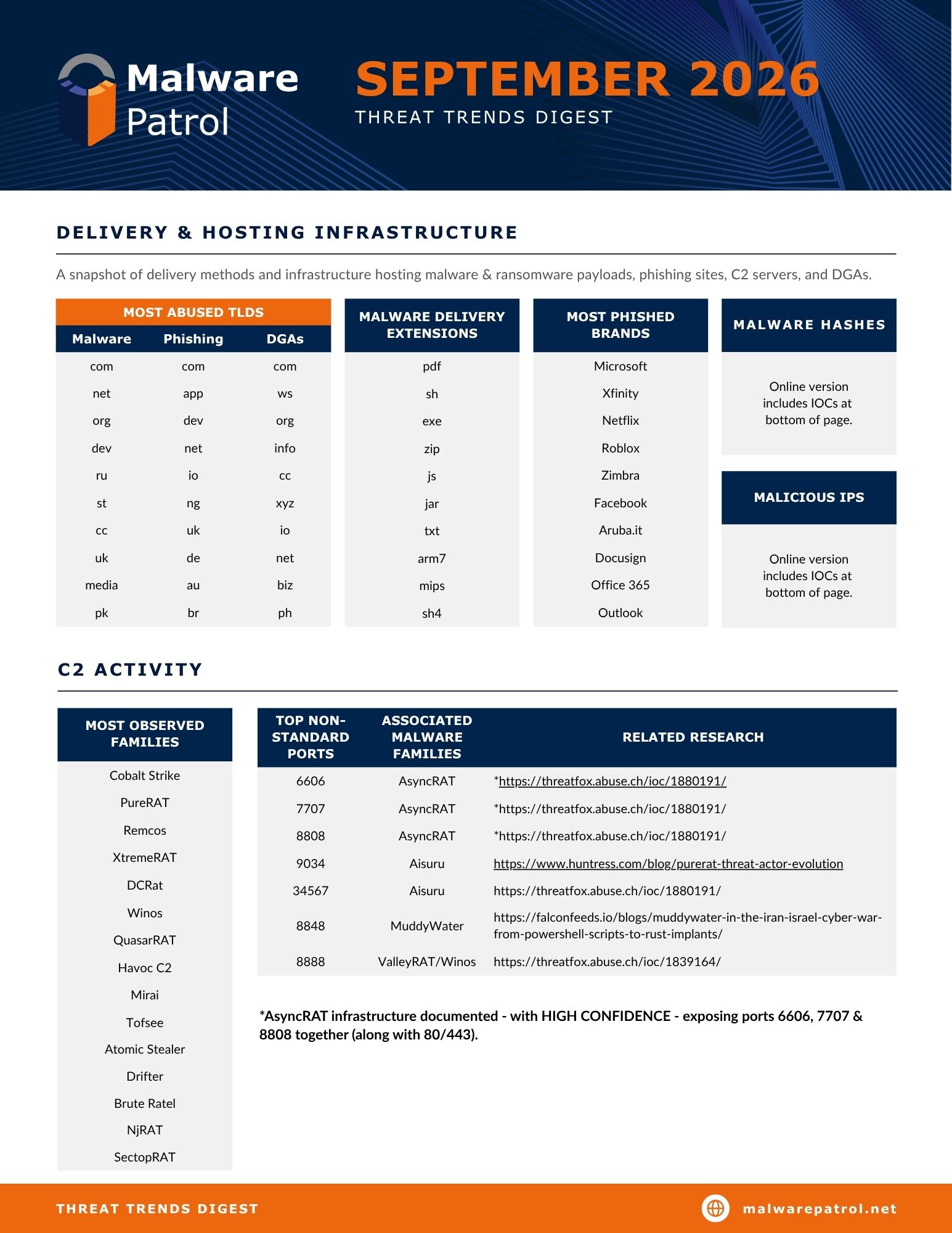
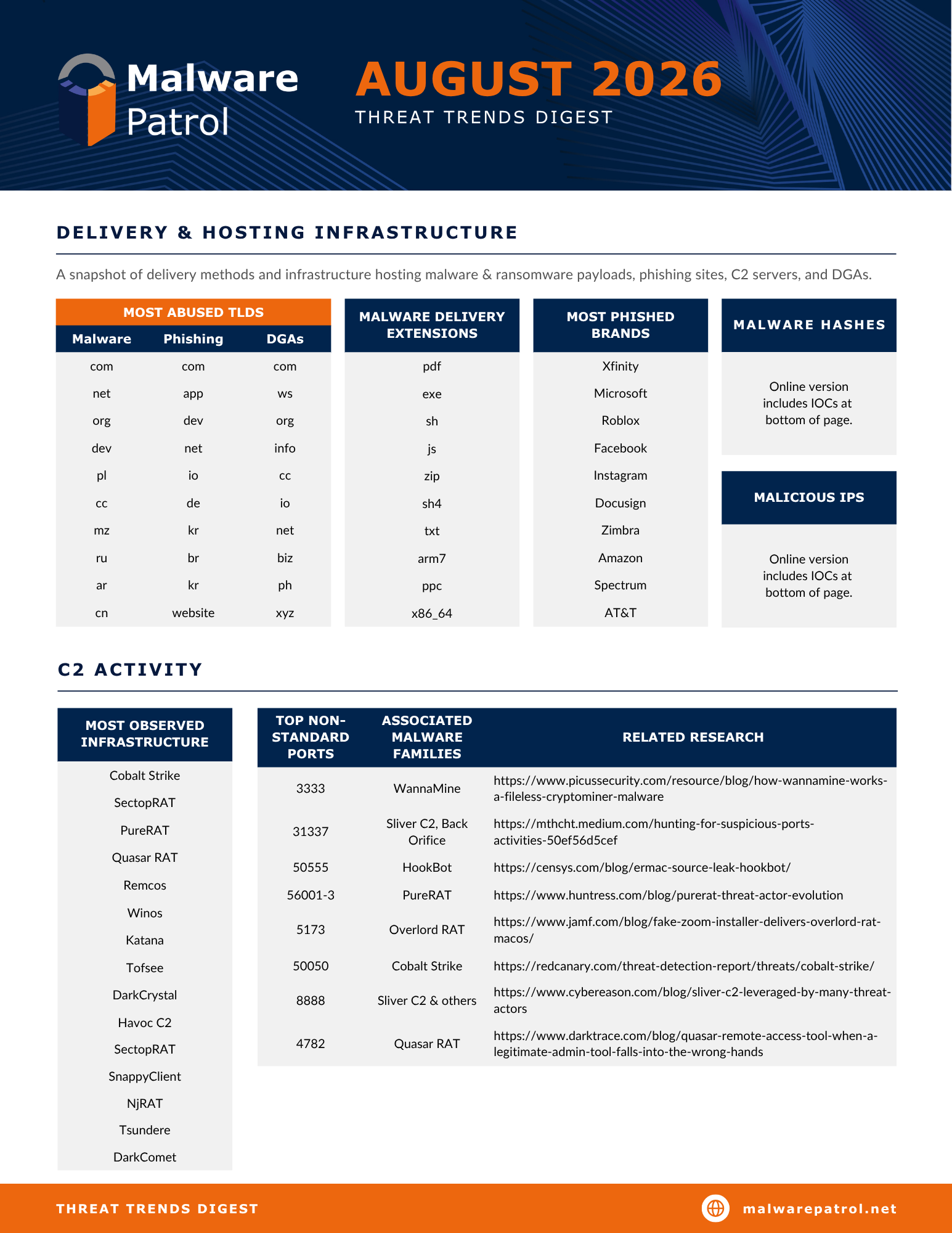
The most common ports are the following:

To learn more about these ports, including the services and malware that use them, the resources provided by SANS ISC and SpeedGuide.net are very informative.

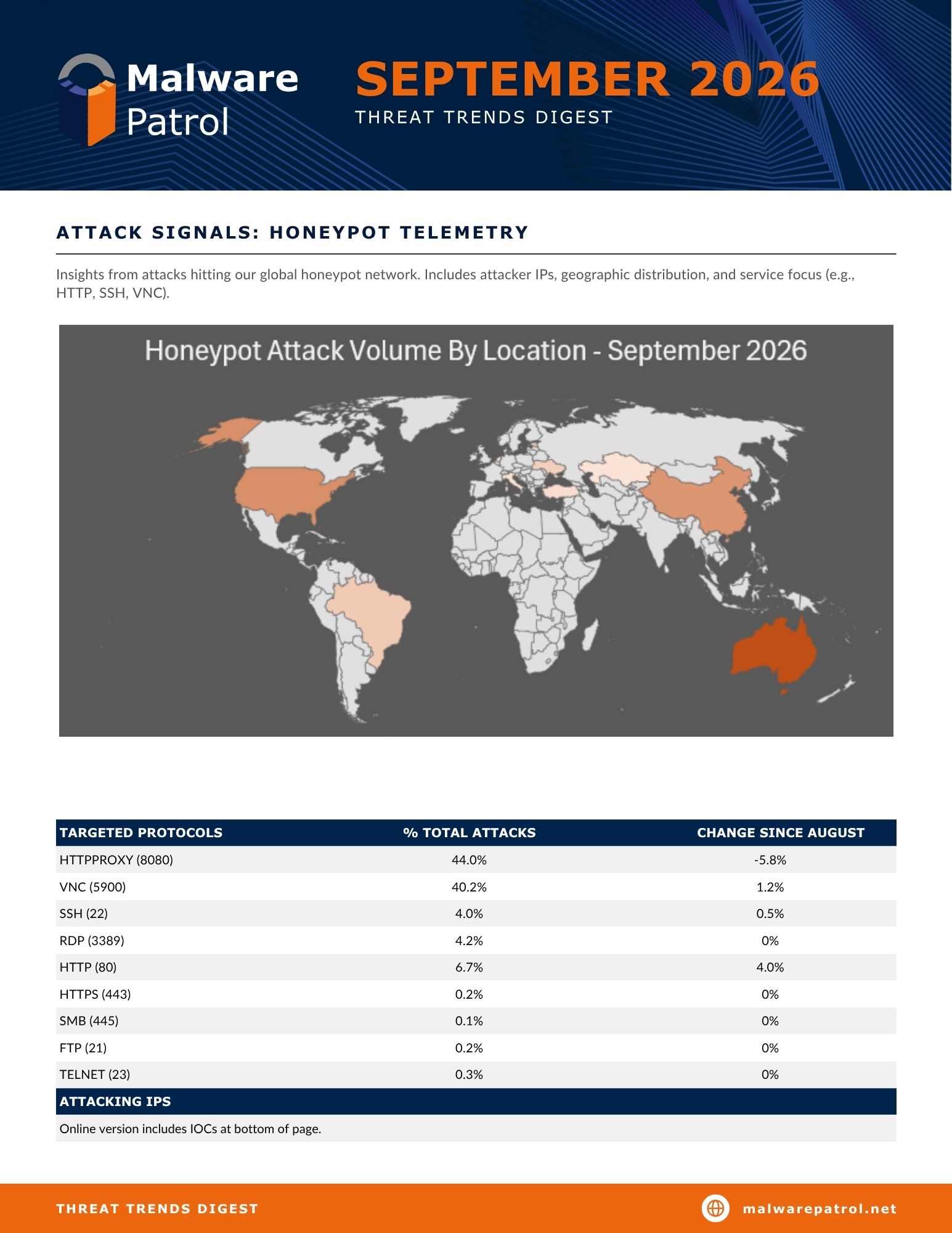
We regularly resolve DNS for command-and-control servers and the resulting IPs are added to our Malicious IPs feed. In August 2024, the following IPs were found to be hosting multiple (75+) C2s:

For a big picture view of C2 protocol trends, we looked at Malware Patrol’s data from the last decade (charted below). This visual representation clearly demonstrates the steadily increasing use of the TCP protocol, along with a decrease in the use of HTTP/S. UDP use remains minimal, and FTP so negligible that it didn’t show up in the numbers once they were rounded up.

an image showing the C2 Server Communication Protocol Since 2014 plotted in a colorful graph


Further breaking down the data, we see that many of the most active and well-known malware families are predominantly using TCP, with just a few exceptions.

An image of a chart depicting the malware families that are predominantly using TCP


For the following families, we have only TCP-based C2 server addresses as of August 2024:


Monitoring and Detecting TCP-Based C2 Communications


Detecting TCP-based C2 traffic requires some shifts in monitoring strategies, but first of all, and as always, the foundational basics of security should be well implemented. Then, security teams must enhance their visibility into network traffic and apply more sophisticated analysis techniques to identify potential threats. Here are some strategies to consider:

  1. Broaden Network Traffic Monitoring: Ensure that all network traffic, not just HTTP/HTTPS, is subject to scrutiny. This includes monitoring for unusual activity on non-standard ports and paying attention to any TCP connections that do not align with normal network behavior.
  2. Network Segmentation: Implement network segmentation to limit the lateral movement of attackers within the network. By segmenting critical assets and enforcing strict access controls, you can reduce the impact of a compromised system establishing a TCP-based C2 channel.
  3. Strict Egress Filtering: Apply egress filtering on firewalls to restrict outbound traffic. Only allow necessary TCP connections and restrict connections to known IP addresses and ports. This can prevent compromised systems from establishing C2 connections to external servers.
  4. Behavioral Analysis: Implement network behavioral analysis (NBA) tools to detect anomalies in TCP traffic. These tools can identify unusual patterns, such as long-duration TCP connections, unexpected data transfer volumes, or irregular communication intervals, which may indicate C2 activity.
  5. Deep Packet Inspection (DPI): Utilize DPI to inspect the contents of TCP packets. Although attackers may use encryption or obfuscation, DPI can help identify suspicious payloads or metadata within TCP streams that deviate from known legitimate traffic.
  6. Endpoint Detection and Response (EDR): EDR solutions can provide visibility into the processes and connections initiated on endpoints. Correlating endpoint activity with network traffic can help identify suspicious TCP connections originating from compromised devices.
  7. Anomaly Detection with Machine Learning: Machine learning-based anomaly detection systems can be trained to recognize deviations in TCP traffic. These systems can learn what normal traffic looks like and flag communications that fall outside the expected parameters, such as unexpected ports or communication patterns.
  8. Threat Intelligence Integration: Incorporate threat intelligence feeds that provide indicators of compromise (IOCs) related to TCP-based C2 activity. These IOCs can include IP addresses, domains, and port numbers associated with known threat actors, helping to identify malicious connections.
  9. Deception Techniques: Deploy deception technologies such as honeypots and honeytokens to lure attackers into revealing their TCP-based C2 channels. These tools can provide valuable insights into attacker behavior and help identify the methods used to establish C2 connections.
  10. Advanced Threat Hunting: Engage in proactive threat hunting to identify and mitigate TCP-based C2 channels. Threat hunters can search for indicators of TCP-based C2 communications by analyzing network logs, correlating endpoint activity, and utilizing threat intelligence.
  11. Regular Security Audits: Conduct regular security audits to assess the effectiveness of your defenses against TCP-based threats. Audits should include testing your ability to detect and respond to TCP-based C2 communications, as well as reviewing network configurations and access controls.
  12. Employee Training and Awareness: Educate employees about the dangers of phishing and other social engineering tactics used to compromise systems. Many TCP-based C2 channels are established after an initial infection, often delivered via email or malicious websites. By raising awareness, you can reduce the likelihood of a successful compromise.


Conclusion


Ultimately, the key to mitigating the risk posed by TCP-based C2 communications – or any threat – lies in continuous vigilance, adaptability, and a commitment to staying informed about the latest developments in the threat landscape. As C2 communication tactics continue to evolve, organizations that are proactive in their approach to cybersecurity will be best positioned to detect, respond to, and prevent these emerging threats.

For an additional layer of protection, Malware Patrol offers a C2s data feed that covers the latest malware campaigns and families. It is offered in formats compatible with most industry tools and platforms for simple integration with your existing security stack. We offer a free evaluation. Find out more here.

How big are your threat data gaps?

See for yourself.

Indicators of Compromise

Frequently Seen C2 Server IPs – August 2024

3.64.4.198
3.67.161.133
3.125.188.168
3.126.224.214
18.158.58.205
18.197.239.109
18.229.146.63
35.158.159.254
154.248.27.182
209.25.141.212

Most Popular C2 Communication Ports – August 2024

23
2404
4444
7443
8443
8848
8888
31337
50050
60000

Leslie Dawn

Technical Account Manager

Leslie Dawn is a Technical Account Manager / Threat Intelligence Analyst at Malware Patrol. Her background of nearly a decade in cyber threat intelligence provides her with a nuanced understanding of threat landscapes and client security needs.


?

Tunnel Vision: Looking Out for Malicious Tunneling Use

?

tunneling abuse

The Trend of Malicious Tunnel Use

In this blog, we will explore malicious tunnel use, the types of cyber threats it enables, and provide some mitigation strategies to fortify your defenses.

Tunneling services, also known as “ingress-as-a-service” offers were originally designed to facilitate secure communication over untrusted networks. Over the past several years they have increasingly become tools of choice for cybercriminals. Offering a cloak of anonymity and encrypted pathways, these services have emerged as an option that allows attackers to obfuscate their activities and bypass conventional security measures. 

Ingress-as-a-service vs. reverse proxies vs. tunnel technologies

It is important to understand the difference between ingress-as-a-service, reverse proxies and tunneling technologies to properly understand their features and limitations, as well as to assess the potential security impacts from their usage.

Ingress-as-a-service platforms, exemplified by services like Ngrok, primarily focus on providing external access to internal resources without requiring complex network configurations. These services typically offer temporary URLs or domain names that route traffic to specific ports or applications hosted on local servers.

In contrast, reverse proxies like NGINX act as intermediaries between clients and servers, providing features like load balancing, caching, and SSL termination. They are more configurable and are often used in production environments to enhance performance and security.

On the other hand, tunneling technologies such as GRE (Generic Routing Encapsulation) and IPSec (Internet Protocol Security) create secure pathways for data transmission over untrusted networks. While they can also facilitate external access to internal resources, they are primarily designed for establishing secure connections between networks or hosts and encrypting data in transit.

Each of these technologies serves distinct purposes and should be chosen based on the specific requirements of the network architecture and security needs.

How Do Tunnel Services Work?

Tunneling or Ingress as a Service services such as ngrok, LocalXpose, and Pinggy, provide a secure way to expose local servers behind NAT (Network Address Translation) and firewalls to the public Internet. They create a tunnel between a user’s machine and a publicly accessible endpoint, allowing for secure communication between the two. This facilitates testing and sharing of services hosted on local machines without the need to register domain names, acquire web hosting services, or go through complex network configurations.

Here’s how the process typically works with a service like Ngrok as “service provider”, its users as “customers,” and an Internet end-user as “Internet user”:

  • The customer installs a command line client software provided by the service provider on their computer or server. This client software allows the service customer to customize their services;
  • Upon installation, the customer must provide credentials to authenticate themselves on the service provider’s platform. These credentials are used anytime the customer requests changes to their service configurations;
  • The customer uses the command line software to configure local ports and protocols to be exposed to the Internet through the service provider’s platform. For example, they can make their port TCP/3306 available to computers outside their private network through the tunneling service;
  • The service provider receives the configuration request and allocates resources that may include a FQDN, protocol and port on its infrastructure;
  • Traffic directed to the allocated FQDN and port over the expected protocol is automatically forwarded to the customer’s computer;
  • The service provider relays data between Internet users and the customer. This traffic can be encrypted using TLS, for example, depending on the customer’s preferences;
  • The real network and geographical location of the customer is hidden and never disclosed to Internet users;
  • Multiple Internet users can access resources exported by the customer at the same time;
  • The service provider also allows for authentication, traffic control and other fine grain configurations by the customer.


Tunnel Features and Providers

The primary selling point of the commercial versions of these services . Most claim that the process only takes minutes, sometimes with no download required. Other touted features include system-generated or custom domains, support for multiple protocols, traffic and account logging, GUI or CLI interfaces, and instant SSL certificates. A free option is common, though, these usually only offer a self-expiring domain (15-60 minutes) and may have other limitations related to supported protocols and bandwidth. Paid plans are very affordable, with prices ranging from US$2.50 to $20 per month, depending on the provider and features.

A simple Google search returns results for companies both new and well-established that have entered this ingress-as-a-service market. There is also an abundance of open source do-it-yourself-hosting options. The top result for the term tunneling services is the very popular awesome-tunneling GitHub repository by user anderspitman described as “List of ngrok/Cloudflare Tunnel alternatives and other tunneling software and services. Focus on self-hosting.” The repository lists more than 60 alternatives.

What’s the point of these details? To demonstrate that the options for tunneling are so numerous and technically varied that there is no way to track or block them all. This is why understanding how these services operate is essential for effectively safeguarding networks against potential threats.

Legitimate Use Cases for Tunneling Services

Tunneling services offer a wide range of use cases across various industries and scenarios. Here are some examples:

Development and Testing: Developers can expose their work-in-progress web applications, APIs, and other services to collaborators or clients for feedback and testing without needing to deploy it to a production server.

Remote Access: Enable remote access to devices, such as cameras, IoT devices, or home servers, that are located behind firewalls or NAT routers.

Bypassing Network Restrictions: Tunneling services can bypass censorship or other restrictions by routing traffic through encrypted tunnels, allowing users to access restricted content and services securely.

Penetration Testing and Security Research: Security professionals or security research to simulate attacks, test security controls, or analyze network traffic.

File Transfer and Data Sharing: Facilitate secure file transfer and data sharing between parties by creating encrypted tunnels for transmitting files and data over the Internet.

Not-So-Legitimate Tunneling Use Cases

Over the years, this tool has garnered notoriety for its role in facilitating data exfiltrationphishing, ransomware attacks, and covert communication channels. Here are some threats that can be hosted or assisted via malicious tunnel use:

Command and Control (C2) Servers: Tunnels establish secure communication channels between compromised systems and their command-and-control servers.

Phishing: Phishing websites are hosted on a bad actor’s local machine and exposed to the Internet via a tunnel.

Data Exfiltration: Tunneling services provide a secure and encrypted channel for exfiltrating sensitive data from compromised systems.

Malware Distribution: Attackers can distribute malware by hosting malicious payloads on their local machines and exposing them through a tunnel.

A Current Trend to Watch: C2s Hosted by Ngrok

The inspiration for this blog was an uptick in the number of C2s found hosted at Ngrok domains (*.ngrok-free.app and * ngrok.io) since Q4 2023. The formats vary, but become easily recognizable once you have seen some of the URLs:

tcp://ed0c-2604-a880-800-10-00-bf8-8001[.]ngrok.io:18237/

tcp://ssh.6be0b042ac77[.]ngrok.io:19599/

tcp://4.tcp.eu[.]ngrok.io:11855/

tcp://mailgate.6be0b042ac77[.]ngrok.io:18335/

tcp://pop.2b287b46[.]ngrok.io:18335/

tcp://mailgate.9f50d37b[.]ngrok.io:17888/

tcp://panther-tender-ghost[.]ngrok-free.app:17888/

tcp://4118-209-105-242-243[.]ngrok-free.app:17888/

tcp://4271-1-10-161-113[.]ngrok-free.app:17888/

Two specific malware families collectively account for more than 96% of all observed Command and Control (C2) URLs: njRAT and Nanocore RAT. When looking at activity from October 2023 to April 2024, we noticed a significant decrease in activity in January 2024.

C2 Detections by Month 2023-2024 chart used in the malicious tunneling use blog post 

Malware Family

Percent of Ngrok C2s

Associated Threat Actor(s), per malpedia
AsyncRAT 0.23% Various, publicly available
DCRAT 0.23% Various, sold on underground forums
Ghost RAT 2.60% EMISSARY PANDA, Hurricane Panda, Lazarus Group, Leviathan, Red Menshen, Stone Panda
Nanocore RAT 29.75% APT33, The Gorgon Group
njRAT 67.08% AQUATIC PANDA, Earth Lusca, Operation C-Major, The Gorgon Group
Remcos 0.11% APT33, The Gorgon Group, UAC-0050


To explore options for combatting malicious tunnel use, we submitted some of these C2 URLs to Ngrok for the first time. They have a couple of options for reporting abuse:

  1. Via an email address found on their abuse page
  2. An abuse reporting API introduced on their abuse page: “If you are an institutional fraud prevention firm, we have made reporting content for removal easier and more efficient by providing a direct API integration for filing reports. If you expect to report a significant volume of abuse, please reach out to us directly to inquire about access to integrate directly with our abuse reporting API.”

Their response and subsequent removal were almost immediate. They also followed up to provide details about the API and to welcome more submissions. This speedy, proactive approach to minimizing abuse of their service was impressive and refreshing.

Tightening Your Defenses Against Tunneling Abuse

Organizations can significantly reduce the risk posed by this and similar tools when they understand how malicious actors can exploit tunneling. Protecting against this threat requires a multi-faceted approach that encompasses proactive measures and consistent monitoring:

  1. Network Monitoring and Analysis
    • Implement comprehensive network monitoring to detect unusual outbound connections.
    • Employ network analysis tools that can identify patterns indicative of tunneling or data exfiltration attempts. This includes sudden spikes in data transfer to unfamiliar external addresses.
    • If your organization doesn’t use these services, tagging traffic or totally blocking it can be an effective measure.
  1. Endpoint Detection and Response (EDR)
    • Utilize EDR solutions to detect and respond to suspicious activities on endpoints, including the unauthorized installation or execution of tunneling tools.
    • Configure EDR systems to alert administrators of attempts to modify firewall settings or establish connections that are indicative of a tunneling service being used.
  1. Application Whitelisting
    • Enforce application whitelisting policies to prevent the execution of unauthorized applications unless it is approved for legitimate use cases within the organization.
    • Regularly update whitelists to include new legitimate tools and review the list to remove any that are no longer needed or pose a security risk.
  1. User Awareness and Training
    • Educate employees about the risks associated with tunneling services and the potential for their misuse. Include information on how to recognize phishing attempts or social engineering tactics that could lead to the installation of such tools.
    • Conduct regular training sessions to improve the security awareness of staff, focusing on the importance of reporting suspicious activities.
  1. Strict Access Controls
    • Implement strict access controls and segment networks to limit the ability of an attacker to move laterally, even if they manage to establish a tunnel.
    • Use multi-factor authentication (MFA) and strong password policies to reduce the risk of credential theft and unauthorized access to systems that could be used to deploy a tunneling tool for malicious purposes.
  1. Regular Security Audits and Penetration Testing
    • Conduct regular security audits and penetration testing to identify vulnerabilities that could be exploited to install and use these tools maliciously. This should include assessments of both internal and external defenses.
    • Review and update incident response plans to include procedures for detecting, isolating, and removing unauthorized tunneling services.
  1. Collaboration and Sharing of Threat Intelligence
    • Participate in industry-specific threat intelligence sharing platforms to stay informed about the latest tactics, techniques, and procedures (TTPs) used by threat actors, including the misuse of tunneling services. Share insights and indicators of compromise (IoCs) related to unauthorized services use with peers and cybersecurity communities to aid in collective defense efforts.

In Conclusion

As the digital landscape continues to evolve, malicious tunnel use remains a persistent and evolving threat. However, by taking the time to learn about this threat, remaining vigilant, implementing robust security measures, and fostering a culture of cybersecurity awareness, businesses can safeguard their networks and data against the clandestine activities of malicious actors.

While various methods exist to counter this threat, the use of threat intelligence offers an immediate, proactive approach to detection and mitigation. IOCs can help teams swiftly identify tunneling connections and associated activity of known phishing campaigns and C2 infrastructure. For more information about Malware Patrol’s threat data feeds that cover this kind of activity, click here.


Leslie Dawn

Technical Account Manager

Leslie Dawn is a Technical Account Manager / Threat Intelligence Analyst at Malware Patrol. Her background of nearly a decade in cyber threat intelligence provides her with a nuanced understanding of threat landscapes and client security needs.


How big are your threat data gaps?

See for yourself.

?

Command and Control Servers: Fundamentals

?

c2 serversWhat Is a C2 Server?

A command and control (C2) server is a centralized system used by cybercriminals to manage and control compromised devices within a network. It acts as the operational hub for malware, sending commands to infected machines and receiving stolen data. C2 servers enable attackers to execute a variety of malicious activities.

By maintaining communication with compromised devices, C2 servers play a critical role in the persistence and effectiveness of cyber threats:

1. Remote Control and Management

C2 servers provide attackers with the ability to remotely control compromised devices. This includes executing commands, initiating processes, and managing infected systems from a central location. By sending instructions through the C2 server, attackers can maintain persistent control over their malware operations.

2. Downloading Additional Malware Payloads

One of the primary functions of a C2 server is to facilitate the download of additional malware onto compromised devices. This can include:

  • Trojans: Used to create backdoors for future access.
  • Keyloggers: To capture and transmit keystrokes, allowing attackers to steal credentials.
  • Rootkits: To hide the presence of malware and maintain persistent access.
  • Spyware: To monitor user activity and exfiltrate sensitive information.
  • Ransomware: Encrypts files on the victim’s system and demands a ransom for the decryption key.

3. Exfiltration of Data

C2 servers are often used to exfiltrate data from compromised systems. This data can include:

  • Personal Identifiable Information (PII): Such as names, addresses, Social Security numbers, etc.
  • Financial Information: Credit card details, bank account information, etc.
  • Intellectual Property: Confidential business information, proprietary technologies, etc.
  • Credentials: Usernames and passwords for various services.

4. Issuing Commands to Botnets

Botnets, networks of malware-infected devices controlled by a C2 server, are used for various malicious activities:

  • Distributed Denial of Service (DDoS) Attacks: Flooding a target with traffic to overwhelm and disrupt its services.
  • Spamming: Sending large volumes of unsolicited emails to promote scams or distribute malware.
  • Click Fraud: Generating fraudulent clicks on ads to generate revenue.
  • Mining Cryptocurrencies: Using the processing power of infected devices to mine cryptocurrencies.

5. Downloading and Executing Ransomware Encryption Keys

For ransomware operations, C2 servers play a critical role in:

  • Downloading Encryption Keys: Once ransomware is deployed, the malware contacts the C2 server to download encryption keys necessary to encrypt the victim’s files.
  • Transmitting Decryption Keys: If the victim pays the ransom, the C2 server may provide a decryption key to restore access to the encrypted data.

6. Monitoring and Managing Infected Systems

C2 servers enable attackers to monitor the status of infected systems and manage their operations. This includes:

  • Gathering Information: Collecting data on the infected environment to plan further attacks.
  • Updating Malware: Pushing updates to existing malware to enhance its capabilities or fix bugs.
  • Removing Traces: Issuing commands to remove traces of the malware to avoid detection.

7. Establishing Persistence

C2 servers help in establishing persistence on infected systems by:

  • Deploying Rootkits: To hide the presence of malware from detection tools.
  • Setting up Backdoors: Creating backdoors to ensure attackers can regain access even if the initial infection vector is closed.

8. Coordinating Sophisticated Attacks

C2 servers are used to coordinate complex, multi-stage attacks:

  • Advanced Persistent Threats (APTs): Long-term targeted attacks aimed at stealing data or disrupting operations.
  • Watering Hole Attacks: Compromising websites frequently visited by the target to deliver malware.
  • Supply Chain Attacks: Infiltrating less secure elements of a supply chain to compromise more secure targets.


How to Manage Threats from C2 Servers

Protecting against and hunting for C2 (Command and Control) traffic involves a combination of proactive defense measures, continuous monitoring, and advanced threat detection techniques. Here’s a detailed guide on how companies can effectively manage these tasks:

1. Network Traffic Analysis

Deep Packet Inspection (DPI)

  • Functionality: DPI involves examining the data part (and possibly also the header) of packets as they pass through an inspection point. It looks for protocol anomalies, malicious payloads, and specific data strings.
  • Implementation: Use DPI-capable firewalls and intrusion detection/prevention systems (IDS/IPS).

Anomaly Detection

  • Functionality: This method involves establishing a baseline of normal network behavior and then detecting deviations from this norm.
  • Implementation: Employ machine learning algorithms and behavioral analysis tools to identify unusual traffic patterns that may indicate C2 communication.

2. Endpoint Protection

Endpoint Detection and Response (EDR)

  • Functionality: EDR tools continuously monitor and collect data from endpoints to detect suspicious activities and facilitate immediate response.
  • Implementation: Deploy EDR solutions that can detect malware behavior, track C2 connections, and automatically isolate compromised endpoints.

Anti-malware and Antivirus

  • Functionality: Traditional antivirus and anti-malware solutions use signature-based detection to identify known threats.
  • Implementation: Regularly update antivirus definitions and use heuristic analysis to detect new and unknown malware strains.

3. Threat Intelligence Integration

Threat Intelligence Feeds

  • Functionality: Threat intelligence feeds provide up-to-date information on known C2 server addresses, IPs, domains, and other IOCs (Indicators of Compromise).
  • Implementation: Integrate threat intelligence feeds into security information and event management (SIEM) systems to automatically block or flag communications with known malicious C2 servers.

Collaborative Threat Sharing

  • Functionality: Sharing threat intelligence within industry groups and with public-private partnerships enhances the overall security posture.
  • Implementation: Participate in information sharing and analysis centers (ISACs) and use platforms like STIX/TAXII for automated threat intelligence sharing.

4. Network Segmentation and Isolation

Network Segmentation

  • Functionality: Dividing a network into segments limits the spread of malware and restricts C2 communication within isolated sections.
  • Implementation: Implement VLANs, firewalls, and access control lists (ACLs) to enforce strict segmentation.

Isolation of Critical Assets

  • Functionality: Isolating critical systems from the rest of the network reduces the risk of C2-based attacks impacting vital operations.
  • Implementation: Use dedicated, physically isolated networks for critical infrastructure and apply stringent access controls.

5. DNS Filtering and Analysis

DNS Sinkholing

  • Functionality: Redirecting malicious domain name system (DNS) queries to a controlled environment to prevent communication with C2 servers.
  • Implementation: Configure DNS sinkholes to intercept and analyze queries to known malicious domains.

DNS Traffic Monitoring

  • Functionality: Monitoring DNS traffic for unusual patterns that may indicate C2 activity, such as frequent or irregular DNS requests.
  • Implementation: Use DNS security solutions and logs to detect and investigate suspicious DNS queries.

6. Email Security

Email Filtering

  • Functionality: Filtering email to block phishing attempts and malware delivery vectors.

  • Implementation: Employ advanced email security solutions that use spam filters, attachment scanning, and URL analysis.

Phishing Awareness Training

  • Functionality: Educating employees about phishing and social engineering tactics reduces the risk of initial malware infection.

  • Implementation: Conduct regular training sessions and simulated phishing exercises to enhance awareness.

7. Log Analysis and SIEM

Centralized Log Management

  • Functionality: Collecting and analyzing logs from various network devices, endpoints, and applications to detect signs of C2 traffic.

  • Implementation: Use a centralized log management solution and SIEM to correlate and analyze security events.

Automated Incident Response

  • Functionality: Automating responses to detected threats to quickly mitigate C2-related incidents.

  • Implementation: Configure SIEM and EDR tools to automatically block suspicious IPs, isolate infected systems, and alert security teams.

8. Advanced Analytics and Machine Learning

Behavioral Analytics

  • Functionality: Using machine learning to model normal behavior and detect anomalies indicative of C2 activity.

  • Implementation: Deploy behavioral analytics tools that continuously learn and adapt to new threats.

User and Entity Behavior Analytics (UEBA)

  • Functionality: Monitoring the behavior of users and devices to identify deviations that may indicate compromise.

  • Implementation: Integrate UEBA solutions with SIEM for enhanced detection capabilities.

9. Regular Threat Hunting

Proactive Threat Hunting

  • Functionality: Actively searching for signs of C2 activity within the network before automated systems detect them.

  • Implementation: Employ dedicated threat hunting teams to perform regular searches based on the latest threat intelligence and behavioral indicators.


Conclusion

To effectively protect against and hunt for C2 traffic, companies must employ a multi-layered defense strategy. Continuous monitoring and proactive defense measures, combined with a thorough understanding of C2 mechanisms, enable companies to maintain robust cybersecurity and effectively safeguard against sophisticated cyber threats.

How Can Malware Patrol Help?

Malware Patrol offers a wide variety of threat intelligence feeds for use within organizations of all sizes and industries. We verify our feeds constantly – every hour in most cases – to ensure they contain only actionable indicators that protect our customers against malware infections and data breaches.

For ease of use, we format the feeds for compatibility with the most popular security tools and platforms. To learn more or to request a free evaluation, you can contact us and our cybersecurity experts will get in touch with you.

?