MCP Servers for Cybersecurity

MCP Servers for Cybersecurity: Smarter, Safer, and Ready to Work

The adoption of AI in cybersecurity is accelerating, but both integration and security remain challenges.

While large language models (LLMs) are great at understanding language, they don’t easily connect to structured threat data or existing tools. Prompting alone isn’t enough to make AI useful in the SOC.

That’s where MCP servers come in.

What Is an MCP Server?

MCP stands for Model Context Protocol. It’s an open standard that allows LLMs to interface with tools, APIs, and data sources in a secure, structured way. An MCP server acts as a bridge between a language model and the tools it needs to work with, such as a SIEM, threat intelligence platform, malware sandbox, or internal detection engine.

Instead of encoding instructions into long prompts, an LLM connected to an MCP server can:

  • Discover available tools and documentation
  • Select and call the right tool
  • Pass inputs and receive outputs in structured formats
  • Chain multiple actions for more complex workflows

It effectively gives LLMs real operational capabilities in the cybersecurity space.

How MCP Servers Work

At its core, an MCP server exposes tools in a standardized JSON format. Each tool has metadata, documentation, and security controls. The LLM can inspect available tools and choose which to call based on the user query and system context.

Example:

  1. A user asks, “Find indicators tied to APT29 in the last 90 days.”
  2. The model calls a threat intelligence search function through MCP.
  3. The tool returns matching IOCs from a database.
  4. The LLM interprets and summarizes the results.

The server handles routing, context tracking, and access controls, so the model only works within approved boundaries.

Why MCP Servers Matter in Cybersecurity

For LLMs to be useful in cybersecurity, they must interact with:

  • Threat intelligence platforms
  • Malware analysis tools
  • SIEMs and XDRs
  • Incident response workflows
  • Case management and alerting systems

Public models like ChatGPT or Copilot don’t offer secure access to any of these. MCP servers fill that gap by allowing LLMs to operate inside controlled environments with full traceability.

Real Use Cases for MCP in Security

Security teams are already exploring how MCP servers can:

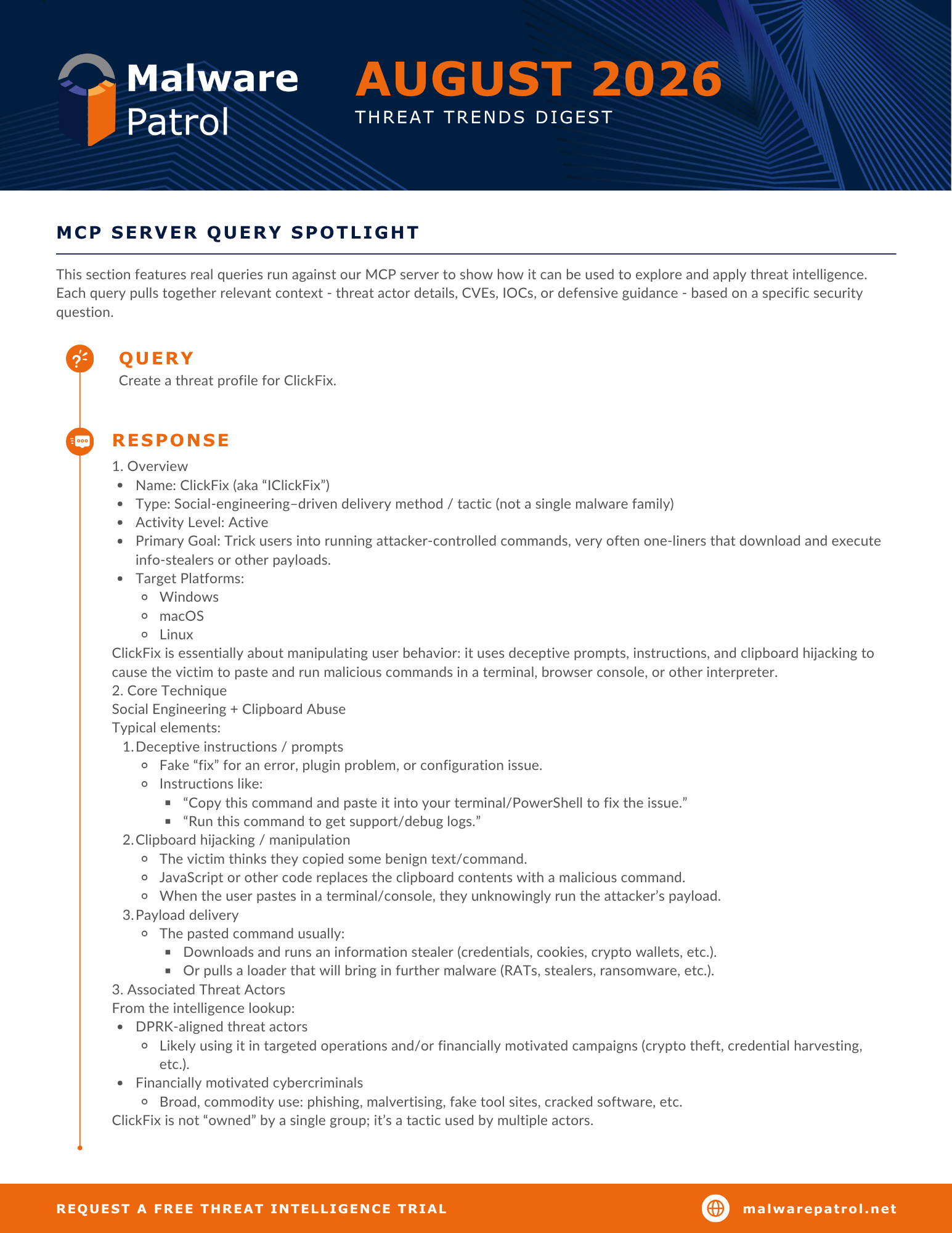
  • Generate threat actor profiles from live data
  • Run malware samples in sandboxes and summarize behavior
  • Enrich alerts with correlated IOCs
  • Automate triage and investigation flows
  • Generate or validate YARA and Sigma rules

Projects and Tools Using MCP in Cybersecurity

Here are some MCP-related projects and offers currently available in the industry:

Secure-by-Design: What to Look For

As with any tool in cybersecurity, MCP servers should be built securely:

  • Role-based access control
  • Tool-specific authorization
  • Logging and auditing of all calls
  • Input validation
  • Session-aware context isolation
  • Support for on-prem or air-gapped deployment

The Bottom Line

MCP servers make it possible to safely combine the reasoning power of LLMs with real cybersecurity tools. They’re becoming a key part of how AI is being embedded into SOCs, IR platforms, and threat intel systems.

For AI to work in security, it must interact with tools and data in a controlled, auditable way. MCP is the protocol making that possible.

Want to see a real-world example? Check out Malware Patrol’s MCP Server.

?

How big are your threat data gaps?

See for yourself.

?

Introducing the Malware Patrol MCP Server

Introducing the Malware Patrol MCP Server for Cybersecurity Teams

We recently wrote about how MCP servers are unlocking new ways to use AI in cybersecurity. If you missed it, start here to learn what MCP servers are and how they work.

Today, we’re excited to announce the beta launch of our own MCP server, purpose-built for security teams.

Why We Built It

Security professionals need AI that’s more than just a chatbot. The Malware Patrol MCP server connects a custom-trained LLM to structured data, IOCs, and security context, enabling real-world workflows like:

  • Threat actor profiling
  • IOC investigation and correlation
  • Campaign tracking and attribution
  • CVE and malware analysis
  • Infrastructure overlap detection
  • Alert enrichment

What Powers the Malware Patrol MCP Server

Our model has been trained on a curated set of cybersecurity industry content, including:

  • APT and threat group profiles
  • Campaign breakdowns
  • Post-incident investigation reports
  • Security research articles

From this content, we extract structured indicators such as:

  • Threat actor profiles
  • IP addresses
  • File hashes
  • Email addresses used to exfiltrate data and in phishing and other malicious campaigns
  • CVEs abused by threat actors
  • Cryptocurrency wallet addresses

This information is stored and made accessible through our MCP interface. You can query it using natural language.

Sample Questions You Can Ask

  • What are all the known aliases of APT28?
  • What is the timeline of known activity for APT15?
  • Retrieve the latest IOCs associated with APT39.
  • Which threat actors are known to use Cobalt Strike and target retail?
  • Which CVEs are exploited by both APT15 and APT35?
  • Which actor is associated with the hash 7568062ad4b22963f3930205d1a14df7?

These are just a few of the hundreds of supported queries.

Built for Integration and Control

Malware Patrol MCP server supports:

  • Role-based access and authentication
  • Session-aware tool calling
  • Input validation and call logging
  • API integration with internal tools or threat intel platforms

As the system evolves, we will add more tools and workflows based on customer needs and feedback.

Join the Beta Program

AI is powerful. Connected to your tools, your intelligence, and your policies, it becomes operational. We’re offering early access to security teams, MSSPs, and researchers interested in:

  • Using LLMs for real-world threat research
  • Automating investigation workflows
  • Connecting AI to internal tools
  • Helping shape the next generation of cybersecurity copilots

Request beta access here.

?

How big are your threat data gaps?

See for yourself.

?

Emerging Threats Intelligence: A Curated Signal with Predictive Power

The Value of Emerging Threats Intelligence

Threat campaigns often evolve too quickly for traditional defenses to catch them in time. Our Emergent Threats Domains feed is built to provide early visibility into domains that are likely to be used in malicious activity. By combining multiple data sources with advanced analysis techniques, we surface high-risk domains before they are operationalized in active campaigns. This allows security teams to move from reactive defense to proactive action, reducing exposure and improving response times.

Identifying Risk Before It’s Weaponized

To identify emerging threats, we combine several raw data sources, including newly registered domains (NRDs), newly observed domains (NODs) from DNS traffic and other signals from our global collection systems. On their own, these datasets are high-volume and unfiltered, but by applying multiple layers of analysis we can identify domains that are far more likely to be weaponized in malicious campaigns.

Each domain is scored based on the following (among other) criteria:

Structural analysis: Detecting randomness, entropy, and other patterns common in algorithmically generated domains (DGAs)

Infrastructure associations: Mapping connections to infrastructure from both current and previous malicious campaigns tracked in Malware Patrol’s extensive historical database, revealing reuse of attacker resources

Brand lookalikes: Spotting domains designed to impersonate trusted brands, a common precursor to phishing and fraud

TLD reputation: Factoring in the track record of top-level domains (for example, .xyz) that frequently appear in malicious campaigns

This combination of broad input data and layered analysis transforms raw domain activity into a curated feed of high-risk signals. Even though these domains may not yet appear on VirusTotal or in traditional intelligence feeds, they often carry subtle indicators of risk.

Key Benefits for Security Teams

By highlighting suspicious domains early, the feed gives defenders a head start. With emerging threats intelligence, security teams can:

  • Block high-risk domains before they are weaponized
  • Identify suspicious infrastructure earlier in the attack chain
  • Reduce attacker dwell time by acting faster
  • Strengthen DNS-layer defenses and detection systems with predictive data

Advantages and Limitations

Like any security solution, our Emergent Threats Domains feed has strengths and trade-offs that should be considered.

Advantages:

  • Pre-filtered and enriched, reducing noise and making it ready to deploy in firewalls, SIEMs, and DNS layers
  • Compact enough to work within the limits of tools that cannot process large blocklists
  • Includes enrichment and scoring, providing immediate context for faster decisions
  • Well-suited for smaller teams or those without capacity to build enrichment pipelines internally

Limitations:

  • Filtering and scoring are determined by vendor criteria, which may not fully align with every organization’s unique threat model
  • By design, not every domain is included, only those identified as suspicious, so some activity could be missed
  • Less flexible than raw feeds, making it less suitable for organizations that prefer to create custom detection logic

Comparison: Newly Registered Domains vs Emergent Threats Domains

Both NRDs and emerging threats intelligence provide valuable visibility, but they serve different needs as outlined in the table below.

Newly Registered Domains (NRDs) Emergent Threats Domains
Broad coverage of all new domains Focused coverage of domains flagged as suspicious
High volume and unfiltered Pre-filtered, enriched, and scored
Requires custom enrichment and filtering by the user Includes enrichment such as entropy, brand lookalikes, infrastructure ties, and TLD reputation
Useful for hunting, research, and building custom detections Useful for immediate blocking and SOC operations
May overwhelm tools or teams without filtering Compact size avoids overwhelming security tools
Best for mature SOCs and research teams Best for smaller teams or those prioritizing operational efficiency

In short, NRDs give maximum visibility and flexibility, while Emergent Threats Domains provides ready-to-use intelligence that reduces noise and speeds up action.

Try Malware Patrol’s Emergent Threats Domains With a Free Trial

Whether you want the flexibility of raw NRDs or the convenience of enriched Emergent Threats Domains, we can help you choose the right approach for your environment. We also offer free evaluations so you can see the data in action and decide which feed best fits your security needs.

Get started today and take the first step toward staying ahead of tomorrow’s threats. We’d be happy to discuss options and set up a free trial. Use this link to schedule time with us.

?

How big are your threat data gaps?

See for yourself.

?

Newly Registered Domains: A Raw Signal with Real Value

Working with Newly Registered Domains

We provide a Newly Registered Domains (NRDs) feed, and one of the most common questions we receive is: “How can this data be used?”

It is a valid question. By their very nature, NRDs are high-volume and unfiltered, which can make them challenging to work with at first glance. But that rawness is also what makes them powerful: they provide one of the most comprehensive snapshots of Internet activity you can get. After all, every malicious domain begins life as an NRD. For defenders who know how to work with this telemetry, that makes NRDs an invaluable early-stage signal.

With the right enrichment and filtering, what first looks like overwhelming noise can quickly turn into actionable intelligence. Organizations that invest in detection engineering or custom hunting workflows can use NRDs to spot attacker infrastructure before it’s weaponized in campaigns, often long before it ever appears in curated threat feeds.

Before we dive into how organizations can put NRDs to work, let’s take a step back. When we say “NRD feed,” what exactly does that include? And why is this raw data so valuable?

What is an NRD Feed?

A Newly Registered Domains (NRD) feed is a daily snapshot of every domain registered on a given date. It captures everything, from legitimate business sites and personal projects to the very first traces of attacker infrastructure.

Threat intelligence providers may structure NRD intelligence in different ways, but the most common fields include the domain name, the registration date, and related DNS records. These basic elements make up the raw dataset.

Malware Patrol takes it a step further. In addition to listing new domains, we resolve each one through DNS and check the resulting IP addresses against our current and historical databases of malicious infrastructure. The output is a simple indicator, presented by threat type, showing whether a domain has ever resolved to an IP tied to malicious activity. This doesn’t turn NRDs into a curated threat feed, but it does provide valuable context to help security teams prioritize where to look first.

Example NRD Feed Entry (Simplified)

{
“DOMAIN”: “zzzzbetjogos.com”,
“REGISTRATIONDATE”: 20250928,
“A_RECORD”: [
{
“IP”: “104.21.18.168”,
“HOSTINGC2”: 0,
“HOSTEDC2”: 0,
“HOSTEDDGA”: 0,
“HOSTINGMALWARE”: 0,
“HOSTEDMALWARE”: 0
}
],
“AAAA_RECORD”: [
{ “ADDRESS”: “2606:4700:3035::6815:12a8” }
],
“NS_RECORD”: [
{ “HOST”: “lennon.ns.cloudflare.com” },
{ “HOST”: “nelly.ns.cloudflare.com” }
]
}

Why Should You Care About NRDs?

Attackers depend on newly registered domains as a foundation for their operations. Whether establishing fresh infrastructure for malware delivery or spinning up lookalike sites that mimic trusted brands, new domains give adversaries a clean slate. With no reputation history and no presence on blocklists, they’re the perfect launchpad for malicious activity.

Every day, threat actors register domains to:

  • Launch phishing and social engineering campaigns

  • Set up malware infrastructure like C2 servers and drop zones

  • Impersonate legitimate brands through typosquats and lookalikes

  • Avoid being caught by existing blocklists.

Of course, many newly registered domains are harmless, but the critical point is that every malicious domain starts as an NRD. This makes NRDs a powerful early-warning signal. By using them, security teams can detect attacker infrastructure before it’s weaponized in campaigns and long before it shows up in curated threat feeds.

Use Cases for Newly Registered Domains Feeds

Here’s what your team can do with this data:

  • Block NRDs for a fixed period (e.g., 3–7 days): Most legitimate sites aren’t operational immediately. Blocking during this window dramatically reduces exposure to phishing and malware campaigns.
  • Prioritize NRDs that resolve to suspicious infrastructure: Use Malware Patrol’s malicious-IP indicator as a filter to decide which domains may warrant closer inspection.
  • Monitor for brand impersonation or typo squatting: Detect lookalike domains before they appear in phishing emails.
  • Detect DGA or high-entropy domains: Flag domains likely generated by Domain Generation Algorithms. A DGA domain typically looks like a random string of characters, often unpronounceable, and statistically unlikely in natural language (e.g., xj3k9u2p.biz).
  • Retroactive incident analysis: Check which NRDs were queried during dwell time in an incident.
  • Security research: Track TTPs of threat actors by watching domain registration patterns. Investigate bulk registrations, suspicious registrars, or ASN patterns to spot attacker infrastructure.

NRDs: Raw Fuel for Custom Defenses

If you’re looking to enrich internal detection pipelines, protect your brand, or analyze emerging infrastructure at Internet scale, NRDs are where that work starts. While NRDs are not a plug-and-play threat feed, they empower organizations to hunt earlier, detect faster, and build detections tuned to their own threat models. (With our malicious-infrastructure correlations, subscribers also get a bit of extra context to help prioritize analysis!)

We understand that working with a raw NRD feed can be challenging, which is why we help our subscribers get the most out of it. Our team can customize the feed to align with your environment – at no cost – and provide guidance on setting internal parameters so you can filter, enrich, and prioritize domains in a way that fits your security goals.

And if your organization prefers not to manage this kind of data, we also offer an alternative: Emergent Threats Domains. This feed is informed in part by NRDs but is pre-filtered, enriched, and ready for immediate use in security controls.

Want to explore what your organization can do with NRDs? Let’s talk.

?

How big are your threat data gaps?

See for yourself.

?

Tor Exit Nodes: Risks, Monitoring, and Defensive Use

????

What Are Tor Exit Nodes?

Tor exit nodes frequently appear in cybersecurity discussions, and for good reason. This post explains why they matter so you can decide if your security team should take a closer look.

The Tor network is a powerful tool for enabling anonymity online, and like many privacy-preserving technologies, it has both legitimate and malicious uses (we’re looking at you, DoH!). While it supports privacy for users around the world, it also helps attackers hide their infrastructure, evade detection, and bypass traditional defenses. Understanding how Tor works and how it’s used across different stages of an attack can help defenders apply controls, such as traffic monitoring and access policies, more effectively.

The Tor (The Onion Router) network is a system designed to enable anonymous communication over the Internet. When a user routes their connection through Tor, their data is encrypted and bounced through a series of volunteer-operated nodes, also known as relays, in a layered manner, like peeling an onion. Tor exit nodes are the final relay in the Tor network through which traffic emerges before reaching its destination.

Here’s how it works:

  1. Client Encryption and Path Building:
    When a user initiates a connection via the Tor Browser, the client software selects a random path through the Tor network, consisting of three relays:

    • Entry (Guard) Node – The first hop; it knows the user’s IP address.
    • Middle Node – The second hop; it connects the entry and exit nodes.
    • Exit Node – The final hop; it decrypts the traffic and sends it out to the public Internet.
  2. Onion Routing:
    Each relay only knows the previous and next hop, not the full path, and traffic is encrypted in multiple layers. As each relay receives the data, it peels away one layer of encryption (hence “onion routing”) until the exit node forwards the plaintext traffic to the destination website or server.
  3. Exit Node Role:
    The exit node is where the traffic appears to originate from as far as the destination is concerned. It sees the content of the request (unless it’s encrypted with HTTPS), but not the origin IP address of the user. This is why exit nodes are a focus in both privacy discussions and cybersecurity operations.

Because exit nodes are the only points in the Tor network that interact with the open Internet, they are a key observation point for defenders monitoring suspicious traffic. You can download a current list of active exit nodes and as well as find more technical detail about changes to the service on their official blog.

Why Tor Exit Nodes Matter in Cybersecurity

While Tor has many legitimate uses, its anonymity makes it attractive to threat actors. Attackers frequently leverage Tor for:

  • Exfiltration of data after compromising a system
  • Command-and-control (C2) communications
  • Scanning and probing for vulnerabilities anonymously
  • Anonymized web scraping or credential stuffing

Traffic emerging from Tor exit nodes presents challenges for attribution, enforcement, and even rate-limiting. Monitoring or blocking these nodes can help reduce noise and risk in certain environments.

MITRE ATT&CK TTPs

To further the discussion about Tor’s significance in cybersecurity, it’s helpful to look at how the MITRE ATT&CK framework classifies the different ways attackers abuse it. We compiled the following list to emphasize the broad utility of Tor (or similar services) across the threat landscape. From infrastructure obfuscation and anonymous scanning to covert data theft, Tor enables a wide spectrum of malicious operations. By showcasing its versatility, we aim to help defenders implement more effective detection and mitigation strategies in their environments.

Tactic Technique ID Technique Name Description Use Case
Command and Control T1090.003 Proxy: Multi-hop Proxy Multi-hop proxy chains are used to conceal the true source and destination of network traffic. Tor acts as a multi-hop encrypted proxy. Operators route C2 traffic through it to hide their infrastructure and bypass perimeter defenses.
Command and Control T1102 Web Service Legitimate web services can be leveraged to carry out C2 communications while blending with normal traffic. Tor hidden services (.onion domains) are used to host C2 endpoints anonymously, making them harder to block or trace.
Command and Control T1102.001 Dead Drop Resolver Commands or payloads are stored at web-accessible locations and retrieved by malware. Malware connects over Tor to .onion pages that host instructions (dead drops), reducing the need for persistent C2 channels.
Command and Control T1102.002 Bidirectional Communication Two-way communication channels are established using web services, allowing command issuance and response retrieval. Tor provides encrypted, anonymous communication between infected systems and their controller using hidden services.
Command and Control T1572 Protocol Tunneling Malicious traffic is encapsulated within another protocol, such as HTTPS, to evade detection mechanisms. Communication is tunneled through Tor using standard protocols like HTTPS or SOCKS to blend with legitimate activity.
Command and Control T1001 Data Obfuscation Traffic is modified or disguised to make it more difficult to analyze or detect. Tor’s encrypted routing layers hide both the content and the destination of communications, helping obscure intent.
Exfiltration T1041 Exfiltration Over C2 Channel Data is embedded within command and control traffic for covert transmission out of the environment. Tor-based C2 channels are frequently used to exfiltrate stolen data along with commands due to encryption and anonymity.
Exfiltration T1567.002 Exfiltration to Cloud Storage Data is exfiltrated using cloud storage or web services, often over encrypted channels. Tor is used to anonymize the transfer of stolen data to attacker-controlled storage or .onion servers.
Resource Development T1583.006 Acquire Infrastructure: Web Services Web infrastructure such as domains or servers is obtained for later operational use. .onion domains and hidden services are registered and deployed over Tor to host malware, C2 servers, or phishing kits anonymously.
Defense Evasion T1027 Obfuscated Files or Information Code or data is hidden or encoded to prevent detection by security tools. Traffic routed over Tor benefits from inherent encryption and anonymization, making it harder to inspect or attribute.
Discovery T1595 Active Scanning Target networks are scanned to gather information such as open ports, services, or potential vulnerabilities. Scanning activities are conducted over Tor to mask the source of probes against target infrastructure.
Discovery T1595.001 Scanning IP Blocks Large address spaces are scanned to locate accessible systems and services. Tor exit nodes are used to scan wide IP ranges, identifying exposed assets while remaining anonymous.
Discovery T1595.002 Vulnerability Scanning Specific systems are scanned to identify known vulnerabilities or misconfigurations. Vulnerability scanning tools route traffic through Tor to identify weaknesses in targets without revealing the attacker’s origin.
Credential Access T1110 Brute Force Repeated login attempts are made to gain unauthorized access by guessing or using common passwords. Login brute-force attacks are launched via Tor to bypass IP restrictions and avoid detection.
Credential Access T1110.004 Credential Stuffing Previously leaked credentials are used to attempt logins across services. Tor is used to distribute these login attempts across many IPs, increasing stealth and success while avoiding rate limits.
Reconnaissance T1589.003 Gather Victim Identity Information: Credentials Username and password data is collected from public or breached sources to inform follow-on targeting. Tor is used to scrape credential leaks from forums, dumps, or pastes while hiding the requester’s identity.

Defensive Applications of Tor Exit Node Intelligence

There are multiple defensive use cases for tracking and leveraging Tor exit node IPs in a security program:

  1. Blocking Tor Exit Traffic

Many security teams choose to block inbound or outbound traffic involving known Tor exit nodes, especially in environments that do not serve anonymous users. This can be done via:

  • Firewall rules
  • Web application firewalls (WAFs)
  • DNS-based filtering
  • SIEM correlation rules

Keep in mind, this approach may generate false positives if your service intentionally serves Tor users.

  1. Threat Hunting and Monitoring

By monitoring network traffic to and from Tor exit nodes you can uncover suspicious or malicious behavior such as:

  • Beaconing to C2 infrastructure
  • Unauthorized data transfers
  • Anonymized access attempts

This is particularly useful in SOC environments that log DNS queries, proxy traffic, or NetFlow/Zeek logs.

  1. Threat Intelligence Enrichment

Ingesting and enriching alert data with Tor exit node intelligence can improve triage workflows. For example:

  • Flagging alerts from exit node IPs with a higher risk score
  • Adding context during incident investigations
  • Enhancing SOAR playbooks with automated risk annotations

Where to Get Reliable Tor Exit Node Data

There are a few trustworthy sources for up-to-date Tor exit node information:

Considerations and Cautions

Blocking or monitoring Tor exit traffic is not always the right choice. For organizations supporting user privacy, activism, or global accessibility, outright blocking could limit service availability or raise ethical concerns. Any implementation should be aligned with your organization’s risk posture and user profile. Also, IP addresses of Tor exit nodes can change frequently. This means real-time updates and automation are essential if you’re maintaining blocklists or alerts.

Here are a few good resources for advice about developing a Tor security policy:

Final Thoughts

Using Tor exit node IPs as part of your threat intelligence strategy adds visibility into a common vector for anonymous, and potentially malicious, traffic. Whether you’re blocking, monitoring, or enriching alerts, Tor exit node intelligence is a flexible and valuable tool, but it should be used thoughtfully and in context. Not all Tor traffic is malicious, and indiscriminate blocking can lead to unintended consequences. Instead, aligning Tor intelligence with your organization’s risk tolerance and use cases ensures it contributes meaningfully to detection, response, and threat hunting efforts.

For our customers, Tor exit node data can also be integrated directly into existing threat intelligence subscriptions upon request. Contact your account manager to learn more about integration options or additional enrichment.

As part of our commitment to empowering defenders, we offer several free OSINT feeds, one of which includes a regularly updated list of active Tor exit nodes. Click below to sign up for free access.

Leslie Dawn

Technical Account Manager

Leslie Dawn is a Technical Account Manager / Threat Intelligence Analyst at Malware Patrol. Her background of nearly a decade in cyber threat intelligence provides her with a nuanced understanding of threat landscapes and client security needs.


?

Malicious Domains: A Cybersec Foundation

Malicious domains are a foundational layer of threat intelligence and provide critical visibility into where attackers operate online. You can integrate domain-based intelligence across your security stack to: enhance prevention with DNS filtering and firewall rules, improve detection via IDS/IPS systems, guide SOAR-driven response playbooks, and support retrospective threat hunting. Their versatility makes them valuable for organizations of any size because they serve as both a frontline defense and an investigative asset.

Why Domains (Not Just IPs) Matter

Blocking domains offers a more precise and effective way to deny access to malicious infrastructure compared to blocking at the IP-level. Unlike IP addresses, which are often shared across many services and tenants (e.g., cloud providers), domains tend to be unique to the threat actor’s campaign or infrastructure. Blocking a malicious IP risks affecting legitimate services; blocking a malicious domain is more targeted and typically less prone to false positives.

Where to Get Domain Blocklists

There are several sources for malicious domain blocklists:

  • Commercial Threat Intelligence Vendors – They offer curated, regularly updated feeds, often enriched with context like first-seen dates, associated malware families, or related indicators (IPs, hashes, etc.).
  • Open Source Intelligence (OSINT) – Communities such as Abuse.ch, PhishTank, and threat-sharing platforms publish free lists. While useful, they can vary in accuracy, timeliness, and depth of context.
  • Internal Sources – Your organization’s own detection systems (e.g., sandboxing, phishing reports) can be a powerful generator of high-confidence domains worth adding to local blocklists.

Of course, not all feeds are created equal. Freshness, coverage, and enrichment are key to determining how useful a feed is in real-world defensive operations.

The Importance of Freshness and Context

Threat actors continuously evolve their infrastructure. Domains can be registered and weaponized within minutes. That’s why static or infrequently updated lists are of limited use. A quality feed should not only be updated frequently, ideally hourly or daily, but also provide context: Why is this domain flagged? Is it linked to a specific malware family? Was it part of a known phishing kit? When was it first detected?

Rich metadata and context allow security teams to make informed decisions. For example, knowing a domain is associated with a known command-and-control server for a particular ransomware strain might justify more aggressive response actions than if it were merely flagged for spam.

How to Use Malicious Domain Feeds

You can integrate domain intelligence into your environment in several ways:

  • Network Controls – Feed domains into firewalls, DNS security tools, or secure web gateways to block access in real time.
  • IDS/IPS Systems – Tools like Suricata or Snort can inspect DNS traffic for requests to known bad domains and generate alerts or drop packets.
  • SIEMs and SOARs – Enrich alerts with domain context to improve triage speed and accuracy.
  • EDR and XDR – Use domain feeds to flag suspicious outbound connections from endpoints and correlate with other malicious activity.
  • Threat Hunting – Historical DNS logs or proxy logs can be cross-referenced against the feed to identify prior compromise.
Best Practices for Operational Use
  1. Use Multiple Feeds – Every source has limitations in coverage, geography, etc. Selecting feeds from multiple vendors and publicly available offers help to maximize coverage.
  2. Automate Ingestion and Updates – Integrate feeds into your tech stack with automation tools or platforms.
  3. Monitor for Overblocking – Even with domain-level granularity, verify false positives and build feedback loops to tune your blocklists.
  4. Use Enriched Feeds for Decision Making – Context reduces alert fatigue and helps prioritize incident response.

Final Thoughts

Malicious domain feeds are a tried and true foundational element of threat prevention, detection, and response. From stopping phishing attempts to flagging command-and-control activity, domain-level intelligence provides a tactical advantage in defending against today’s fast-moving threats.

Malware Patrol offers domain intelligence designed to meet the needs of security teams who require both breadth and depth. We cover a wide range of threats, from phishing and malware to emerging threats, cryptomining, DGAs, and C2 infrastructure. Our feeds are also enriched with the metadata that helps turn alerts into action. For ease of use, we format the feeds for compatibility with the most popular security tools and platforms.

Ready to add precision and power to your defenses? Contact us to learn more or to request a free trial.

?

How big are your threat data gaps?

See for yourself.

?

Over 14,000 Ollama Instances Exposed to the Internet

?

Thousands of Ollama Servers Publicly Accessible

A recent scan conducted by the Malware Patrol team revealed over 14,000 Ollama server instances publicly accessible on the Internet, opening the door to unauthorized use of the models and exploitation of known vulnerabilities. From a sample of 4400, we have found that the top Ollama versions include many outdated releases: 0.5.7 – 13% 0.5.10 – 11.5% 0.5.11 – 7.4% 0.9.0 – 7.0% 0.5.12 – 5.8% Other old versions like 0.6.2, 0.6.5, 0.6.8, and 0.7.0 also make up a significant share. Notably, only ~7% of scanned instances run the latest stable release.

Ollama vulnerabilities

Several real-world vulnerabilities have plagued older Ollama releases:

• CVE-2024-28224 (versions < 0.1.29): A DNS rebinding flaw that lets attackers issue unauthenticated API calls, including file exfiltration, model deletion, or resource exhaustion.
• CVE-2024-7773 (versions < 0.3.13): A ZipSlip RCE that permits arbitrary file write via crafted zip archives, potentially enabling full remote code execution.
• CVE-2024-39721 (versions < 0.1.34): A resource exhaustion attack using /dev/random to cause infinite blocking via the CreateModelHandle.
• CVE-2024-39720 (versions < 0.1.46): An out-of-bounds memory read caused by malformed GGUF model uploads that could crash the service or impact availability.
• CVE-2024-39722 (versions < 0.1.46): A path traversal vulnerability during /api/push that reveals internal file paths to an attacker.
• Model poisoning/theft (version 0.1.34): /api/pull and /api/push lack authentication, enabling injection or theft of entire models

These flaws reinforce the urgent need to update Ollama to its latest version and shield endpoints behind authentication and firewalls.

Model Inventory and Safety Risks

From the same sample, the most common LLMs in use were:

  • deepseek-r1:1.5b – 38.1%
  • deepseek-r1:7b/14b/32b/70b – 33%
  • llama3.2:3b-instruct-q5_K_M – 24.7%
  • nomic-embed-text: latest – 23.6%
  • bge-m3:latest – 15.2%
  • smollm2:135m – 13%

Some of these models, particularly deepseek-r1, are highly vulnerable to jailbreaks. Cisco–Robust Intelligence tests found a 100% jailbreak success rate on DeepSeek R1 across harmful prompt sets.

While these are not Ollama flaws, publicly exposed LLMs that lack proper restrictions can be misused for prompt injection, data leakage, or the generation of malicious content.

GPU or CPU?

While Ollama doesn’t expose hardware metadata directly, we can guess that:

  • Large models like deepseek-r1:70b or llama3.1:8b-instruct likely require GPU-backed hardware.
  • Smaller models like smollm2:135m are likely running on CPU-only systems.
Exposed Computational Power – A Platform for Abuse

The scale of public exposure, over 14,000 Ollama instances, represents a vast amount of accessible compute power. Even if many run on CPUs, that’s a massive distributed network of LLM inference capacity available to anyone. Malicious actors could exploit this to run unauthorized workloads, generate phishing, disinformation, or deep fake content, or carry out automated prompt injection testing.

Exposed AI infrastructure isn’t just a misuse risk; it’s a potential vector for scalable, automated abuse. Much like unsecured WordPress and Joomla instances once powered large botnets in the mid-2010s, open LLM endpoints may soon become the next soft target.

Final Takeaways

Publicly exposing Ollama instances without strong safeguards leaves them vulnerable to:

  1. Software-level exploits in outdated releases.
  2. Model-level failures that compromise safety and data security.
  3. Infrastructure-level inference hardware leakage that may reveal system architecture.
  4. Resource misuse to produce malicious/harmful content at scale.

Recommendations:

  • Update Ollama to the latest stable version
  • Lock down endpoints behind firewalls, authentication, or private networks.
  • Monitor usage to prevent abuse and model misuse


Andre Correa

CEO, Malware Patrol

Free Data Evaluation

?

The Evolution of C2 Communication: Custom TCP Protocols

?????

tunneling abuse

Introduction


Command-and-control (C2, C&C or CNC) servers are used to remotely manage, control, and communicate with compromised systems within a network. They enable attackers to execute commands, exfiltrate and/or encrypt data for ransom, and coordinate other malicious activities. The effectiveness and reach of malware are significantly hindered, if not altogether eliminated, without C2 communication. According to some industry estimates, 60% to 70% of malware variants rely on C2 servers for communication. This statistic alone should give us an idea of how critical it is for security teams, and their tools, to be able to block and hunt for C2 traffic.

HTTP/HTTPS have traditionally been the go-to protocols for C2 communications over TCP because nearly all organizations rely on web traffic for legitimate purposes. The fact that HTTP/S traffic typically uses common ports (80 for HTTP and 443 for HTTPS), which are often permitted through firewalls, increases the chances of bypassing perimeter security.

Increasingly sophisticated detection methods are helping us to more easily identify well-known C2 communication methods. Unsurprisingly, attackers have adapted in response to our advances. Some of the tools in their updated arsenal include impersonating legitimate protocols, as well as using custom protocols, non-standard protocol/port pairings, and non-application layer protocols. One such technique our Malware Patrol team has noticed is the move toward the use of non-HTTP/S communication over TCP.

In this blog post, we’ll focus specifically on this trend seen in our data by exploring the implications for threat detection & response and providing mitigation strategies. For more general information about C2s, check out our previous blog post and MITRE ATT&CK’s Command and Control tactic topic

Command-and-Control Channels: Many, Many TCP Options


Attackers’ ingenuity has brought about an impressive variety of C2 communication tactics. Their use varies depending on the capabilities of the malware being deployed, as well as the sophistication of the threat actor, their specific goals, the environment they’re targeting, and the need to avoid detection.

Below is an overview of the most common methods to establish C2 channels. Whenever applicable, we have included details about how TCP might be used to facilitate communication.

Most Used Protocols

  1. HTTP/HTTPS:
    • HTTP/HTTPS are among the most common protocols used by C2 servers.
    • HTTPS adds encryption, making it more challenging to detect malicious activity without decryption and deep packet inspection.
    • TCP-related: HTTP/HTTPS traffic is transmitted over the Transmission Control Protocol (TCP), which ensures reliable delivery of data packets between the client (infected host) and the server (C2 server). TCP’s connection-oriented nature allows for proper sequencing of the communication stream, making it suitable for C2 communications that require reliable data transmission.
  2. DNS:
    • DNS (Domain Name System) is often used for C2 communication because DNS queries and responses are typically allowed by firewalls and proxies. Threat actors can encode commands and data in DNS queries or responses, using techniques such as DNS tunneling.
    • TCP-related: While DNS queries typically use UDP (User Datagram Protocol) port 53 for quick and stateless connections, DNS can also operate over TCP, especially for larger queries and zone transfers. When DNS over TCP is used for C2 communication, it benefits from TCP’s reliability but might be easier to detect due to the less common use of DNS over TCP.
  3. IRC (Internet Relay Chat):
    • Although less common now, IRC was historically popular for C2 communication, especially with early botnets. IRC’s simplicity and ease of use made it a favored choice, but its predictable traffic patterns have led to a decline in its use as defenders became more adept at detecting it.
    • TCP-related: IRC operates over TCP port 6667, providing a reliable connection for the C2 server to send and receive commands and data. The TCP connection ensures that messages are delivered in order, which is critical for maintaining the session’s integrity during the C2 communication.
  4. FTP (File Transfer Protocol):
    • FTP is occasionally used to establish a C2 channel, especially in older or less sophisticated malware. It’s often employed for uploading stolen data from the infected host to the C2 server.
    • TCP-related: FTP uses TCP for establishing connections and transferring files. It typically operates over TCP ports 20 and 21. The reliable data transfer that TCP provides is essential for the successful upload and download of files between the infected host and the C2 server.
  5. Email Protocols (SMTP/IMAP/POP3):
    • Email is used by some C2 frameworks, where commands are delivered via email messages, and the infected host sends its responses back via SMTP, IMAP, or POP3.
    • TCP-related: Email protocols such as SMTP, IMAP, and POP3 rely on TCP for reliable message delivery. TCP’s connection-oriented nature ensures that email messages, including those carrying C2 commands, are transmitted reliably and in order.

Additional Communication Methods

  1. Social Media Platforms:
    • C2 traffic has been observed over social media platforms like Twitter, Facebook, and LinkedIn. Malware can embed commands in social media posts, hashtags, or comments, and the infected host can check these posts for instructions.
  2. Steganography:
    • Steganography involves hiding commands or data within images, videos, or other files, which are then transferred via standard protocols (like HTTP or HTTPS). This method makes detection significantly harder since the payload is hidden within legitimate-looking content.
  3. Peer-to-Peer (P2P) Networks:
    • P2P networks allow infected hosts to communicate with each other or with the C2 server without relying on a centralized server. This decentralization makes takedown efforts more complex and resilient to single points of failure.
    • TCP-related: P2P networks often rely on TCP to establish communication channels between nodes. TCP’s ability to provide error-checking and flow control is beneficial for maintaining stable connections in a decentralized P2P C2 infrastructure.
  4. Tor and Other Anonymity Networks:
    • Tor and similar anonymity networks provide a layer of obfuscation for C2 traffic, making it more difficult to trace the source or destination of the communication.
    • TCP-related: Tor operates over TCP, providing a reliable and encrypted communication channel that obfuscates the source and destination of the C2 traffic. TCP’s role is crucial in ensuring the integrity of the hidden service connections within the Tor network.
  5. Cloud Services:
    • Cloud services like Google Drive, Dropbox, and other legitimate file-sharing services have been exploited for C2 purposes. Commands and exfiltrated data can be stored or transferred through these services, blending in with normal, legitimate use.
  6. Custom Protocols:
    • Advanced threat actors sometimes develop custom protocols specifically designed for their malware. These protocols can be tailored to evade detection by traditional security tools and often use encryption or obfuscation techniques to further complicate analysis.
    • TCP-related: Some custom protocols developed by advanced threat actors may be built on top of TCP to leverage its reliability and connection-oriented features. This allows for stable and dependable C2 communication while evading detection by traditional security tools.
  7. Beaconing:
    • Beaconing is a method where an infected system periodically sends out signals (often very short and difficult to detect) to a C2 server to check in and await further instructions. These beacons can be transmitted via common protocols like HTTP/HTTPS, DNS, or even custom protocols.
    • TCP-related: Beaconing often uses TCP-based protocols like HTTP/HTTPS or DNS over TCP to ensure that the short, periodic signals sent by the infected system reach the C2 server reliably, despite their low visibility.


Emerging Trends in C2 Infrastructure

Emerging trends include the use of cloud-based serverless architectures by attackers for C2 infrastructure. This method enhances scalability and complicates the attribution of attacks to specific threat actors. Additionally, some advanced threat groups are experimenting with blockchain technology for C2 communication. Thanks to its decentralized nature, it helps attackers achieve greater resilience and anonymity. 

The Shift to TCP


The use of TCP for C2 communications is driven by several factors. It is often chosen due to its lower visibility and detection risks. Attackers exploit TCP’s flexibility to create custom protocols or mimic benign services like SSH or FTP, making it harder for traditional security mechanisms to detect malicious activity. Additionally, using raw TCP helps attackers bypass web proxies that typically monitor HTTP/S traffic for suspicious domains or payloads. TCP also supports the implementation of custom, often encrypted, communication protocols, which further obfuscate the attackers’ activities and complicate defenders’ efforts to analyze and decode the traffic. And last but not least, TCP’s inherent reliability, with error-checking and recovery features, ensures persistent and stable connections, even over unreliable networks.

Real World Examples

It’s easy to speak in generalities about how to improve security, but seeing real world examples brings a much better understanding. They offer specifics that can be applied to security efforts and tools. To this end, we found resources related to how some malware families are making use of TCP, among other behaviors.

APT Groups

Several APT groups have been observed using TCP-based C2 communications. For instance:

  1. APT29 (Cozy Bear)
    • Related Malware Families: WellMess, WellMail
    • C2 Communication: Both WellMess and WellMail are known to use custom TCP protocols to communicate with C2 servers. WellMess can use HTTP, HTTPS, and DNS for its C2 communication, and it supports mutual TLS (mTLS) for secure communications, which is atypical for many malware strains. The mTLS implementation requires both the server and the client to have certificates signed by the same Certificate Authority, making the traffic difficult to detect. Additionally, WellMail has been observed using TCP port 25 (typically associated with SMTP) for C2 communication, though it does not use the SMTP protocol, making it a non-standard use of this port, which can help evade detection.
  2. APT41 (Winnti Group)
    • Malware Family: ShadowPad
    • C2 Communication: ShadowPad is a modular backdoor employed by APT41 that utilizes custom TCP protocols for C2 communication. This malware can operate across multiple protocols, including TCP, HTTP, HTTPS, UDP, and DNS, allowing it to blend in with normal network traffic and evade detection. The flexibility and modularity of ShadowPad make it a potent tool in APT41’s arsenal, enabling the group to perform various operations such as data exfiltration and lateral movement within compromised networks.
  3. APT34 (OilRig)
    • Malware Family: Karkoff
    • C2 Communication: Karkoff, a backdoor used by APT34, employs custom TCP protocols to communicate with its C2 servers. The malware’s use of these protocols, often paired with encryption, allows it to operate under the radar of many network-based detection systems, complicating efforts to intercept or analyze the C2 traffic.

Malware Analyses: A Deep Dive

The following linked articles offer an analysis of the malware family, including its C2 communication methods.

DBatLoader
Gafgyt
NanoCore RAT
njRAT
QuasarRAT
Risepro
Socks5systemz
SystemBC
Tsunami (Muhstik) 

What the Data Says


Malware Patrol has been offering a C2 servers addresses data feed for well over a decade. This lengthy history gives us a unique and authoritative perspective on the landscape of C2 communications. For this post, we used our data from August 2024, as well as some historical data, to make observations about the current landscape.

TCP is by far the most prevalent protocol being used. C2 Protocol

The most common ports are the following:

To learn more about these ports, including the services and malware that use them, the resources provided by SANS ISC and SpeedGuide.net are very informative.

We regularly resolve DNS for command-and-control servers and the resulting IPs are added to our Malicious IPs feed. In August 2024, the following IPs were found to be hosting multiple (75+) C2s:

For a big picture view of C2 protocol trends, we looked at Malware Patrol’s data from the last decade (charted below). This visual representation clearly demonstrates the steadily increasing use of the TCP protocol, along with a decrease in the use of HTTP/S. UDP use remains minimal, and FTP so negligible that it didn’t show up in the numbers once they were rounded up.

an image showing the C2 Server Communication Protocol Since 2014 plotted in a colorful graph


Further breaking down the data, we see that many of the most active and well-known malware families are predominantly using TCP, with just a few exceptions.

An image of a chart depicting the malware families that are predominantly using TCP


For the following families, we have only TCP-based C2 server addresses as of August 2024:


Monitoring and Detecting TCP-Based C2 Communications


Detecting TCP-based C2 traffic requires some shifts in monitoring strategies, but first of all, and as always, the foundational basics of security should be well implemented. Then, security teams must enhance their visibility into network traffic and apply more sophisticated analysis techniques to identify potential threats. Here are some strategies to consider:

  1. Broaden Network Traffic Monitoring: Ensure that all network traffic, not just HTTP/HTTPS, is subject to scrutiny. This includes monitoring for unusual activity on non-standard ports and paying attention to any TCP connections that do not align with normal network behavior.
  2. Network Segmentation: Implement network segmentation to limit the lateral movement of attackers within the network. By segmenting critical assets and enforcing strict access controls, you can reduce the impact of a compromised system establishing a TCP-based C2 channel.
  3. Strict Egress Filtering: Apply egress filtering on firewalls to restrict outbound traffic. Only allow necessary TCP connections and restrict connections to known IP addresses and ports. This can prevent compromised systems from establishing C2 connections to external servers.
  4. Behavioral Analysis: Implement network behavioral analysis (NBA) tools to detect anomalies in TCP traffic. These tools can identify unusual patterns, such as long-duration TCP connections, unexpected data transfer volumes, or irregular communication intervals, which may indicate C2 activity.
  5. Deep Packet Inspection (DPI): Utilize DPI to inspect the contents of TCP packets. Although attackers may use encryption or obfuscation, DPI can help identify suspicious payloads or metadata within TCP streams that deviate from known legitimate traffic.
  6. Endpoint Detection and Response (EDR): EDR solutions can provide visibility into the processes and connections initiated on endpoints. Correlating endpoint activity with network traffic can help identify suspicious TCP connections originating from compromised devices.
  7. Anomaly Detection with Machine Learning: Machine learning-based anomaly detection systems can be trained to recognize deviations in TCP traffic. These systems can learn what normal traffic looks like and flag communications that fall outside the expected parameters, such as unexpected ports or communication patterns.
  8. Threat Intelligence Integration: Incorporate threat intelligence feeds that provide indicators of compromise (IOCs) related to TCP-based C2 activity. These IOCs can include IP addresses, domains, and port numbers associated with known threat actors, helping to identify malicious connections.
  9. Deception Techniques: Deploy deception technologies such as honeypots and honeytokens to lure attackers into revealing their TCP-based C2 channels. These tools can provide valuable insights into attacker behavior and help identify the methods used to establish C2 connections.
  10. Advanced Threat Hunting: Engage in proactive threat hunting to identify and mitigate TCP-based C2 channels. Threat hunters can search for indicators of TCP-based C2 communications by analyzing network logs, correlating endpoint activity, and utilizing threat intelligence.
  11. Regular Security Audits: Conduct regular security audits to assess the effectiveness of your defenses against TCP-based threats. Audits should include testing your ability to detect and respond to TCP-based C2 communications, as well as reviewing network configurations and access controls.
  12. Employee Training and Awareness: Educate employees about the dangers of phishing and other social engineering tactics used to compromise systems. Many TCP-based C2 channels are established after an initial infection, often delivered via email or malicious websites. By raising awareness, you can reduce the likelihood of a successful compromise.


Conclusion


Ultimately, the key to mitigating the risk posed by TCP-based C2 communications – or any threat – lies in continuous vigilance, adaptability, and a commitment to staying informed about the latest developments in the threat landscape. As C2 communication tactics continue to evolve, organizations that are proactive in their approach to cybersecurity will be best positioned to detect, respond to, and prevent these emerging threats.

For an additional layer of protection, Malware Patrol offers a C2s data feed that covers the latest malware campaigns and families. It is offered in formats compatible with most industry tools and platforms for simple integration with your existing security stack. We offer a free evaluation. Find out more here.

How big are your threat data gaps?

See for yourself.

Indicators of Compromise

Frequently Seen C2 Server IPs – August 2024

3.64.4.198
3.67.161.133
3.125.188.168
3.126.224.214
18.158.58.205
18.197.239.109
18.229.146.63
35.158.159.254
154.248.27.182
209.25.141.212

Most Popular C2 Communication Ports – August 2024

23
2404
4444
7443
8443
8848
8888
31337
50050
60000

Leslie Dawn

Technical Account Manager

Leslie Dawn is a Technical Account Manager / Threat Intelligence Analyst at Malware Patrol. Her background of nearly a decade in cyber threat intelligence provides her with a nuanced understanding of threat landscapes and client security needs.


?

Tunnel Vision: Looking Out for Malicious Tunneling Use

?

tunneling abuse

The Trend of Malicious Tunnel Use

In this blog, we will explore malicious tunnel use, the types of cyber threats it enables, and provide some mitigation strategies to fortify your defenses.

Tunneling services, also known as “ingress-as-a-service” offers were originally designed to facilitate secure communication over untrusted networks. Over the past several years they have increasingly become tools of choice for cybercriminals. Offering a cloak of anonymity and encrypted pathways, these services have emerged as an option that allows attackers to obfuscate their activities and bypass conventional security measures. 

Ingress-as-a-service vs. reverse proxies vs. tunnel technologies

It is important to understand the difference between ingress-as-a-service, reverse proxies and tunneling technologies to properly understand their features and limitations, as well as to assess the potential security impacts from their usage.

Ingress-as-a-service platforms, exemplified by services like Ngrok, primarily focus on providing external access to internal resources without requiring complex network configurations. These services typically offer temporary URLs or domain names that route traffic to specific ports or applications hosted on local servers.

In contrast, reverse proxies like NGINX act as intermediaries between clients and servers, providing features like load balancing, caching, and SSL termination. They are more configurable and are often used in production environments to enhance performance and security.

On the other hand, tunneling technologies such as GRE (Generic Routing Encapsulation) and IPSec (Internet Protocol Security) create secure pathways for data transmission over untrusted networks. While they can also facilitate external access to internal resources, they are primarily designed for establishing secure connections between networks or hosts and encrypting data in transit.

Each of these technologies serves distinct purposes and should be chosen based on the specific requirements of the network architecture and security needs.

How Do Tunnel Services Work?

Tunneling or Ingress as a Service services such as ngrok, LocalXpose, and Pinggy, provide a secure way to expose local servers behind NAT (Network Address Translation) and firewalls to the public Internet. They create a tunnel between a user’s machine and a publicly accessible endpoint, allowing for secure communication between the two. This facilitates testing and sharing of services hosted on local machines without the need to register domain names, acquire web hosting services, or go through complex network configurations.

Here’s how the process typically works with a service like Ngrok as “service provider”, its users as “customers,” and an Internet end-user as “Internet user”:

  • The customer installs a command line client software provided by the service provider on their computer or server. This client software allows the service customer to customize their services;
  • Upon installation, the customer must provide credentials to authenticate themselves on the service provider’s platform. These credentials are used anytime the customer requests changes to their service configurations;
  • The customer uses the command line software to configure local ports and protocols to be exposed to the Internet through the service provider’s platform. For example, they can make their port TCP/3306 available to computers outside their private network through the tunneling service;
  • The service provider receives the configuration request and allocates resources that may include a FQDN, protocol and port on its infrastructure;
  • Traffic directed to the allocated FQDN and port over the expected protocol is automatically forwarded to the customer’s computer;
  • The service provider relays data between Internet users and the customer. This traffic can be encrypted using TLS, for example, depending on the customer’s preferences;
  • The real network and geographical location of the customer is hidden and never disclosed to Internet users;
  • Multiple Internet users can access resources exported by the customer at the same time;
  • The service provider also allows for authentication, traffic control and other fine grain configurations by the customer.


Tunnel Features and Providers

The primary selling point of the commercial versions of these services . Most claim that the process only takes minutes, sometimes with no download required. Other touted features include system-generated or custom domains, support for multiple protocols, traffic and account logging, GUI or CLI interfaces, and instant SSL certificates. A free option is common, though, these usually only offer a self-expiring domain (15-60 minutes) and may have other limitations related to supported protocols and bandwidth. Paid plans are very affordable, with prices ranging from US$2.50 to $20 per month, depending on the provider and features.

A simple Google search returns results for companies both new and well-established that have entered this ingress-as-a-service market. There is also an abundance of open source do-it-yourself-hosting options. The top result for the term tunneling services is the very popular awesome-tunneling GitHub repository by user anderspitman described as “List of ngrok/Cloudflare Tunnel alternatives and other tunneling software and services. Focus on self-hosting.” The repository lists more than 60 alternatives.

What’s the point of these details? To demonstrate that the options for tunneling are so numerous and technically varied that there is no way to track or block them all. This is why understanding how these services operate is essential for effectively safeguarding networks against potential threats.

Legitimate Use Cases for Tunneling Services

Tunneling services offer a wide range of use cases across various industries and scenarios. Here are some examples:

Development and Testing: Developers can expose their work-in-progress web applications, APIs, and other services to collaborators or clients for feedback and testing without needing to deploy it to a production server.

Remote Access: Enable remote access to devices, such as cameras, IoT devices, or home servers, that are located behind firewalls or NAT routers.

Bypassing Network Restrictions: Tunneling services can bypass censorship or other restrictions by routing traffic through encrypted tunnels, allowing users to access restricted content and services securely.

Penetration Testing and Security Research: Security professionals or security research to simulate attacks, test security controls, or analyze network traffic.

File Transfer and Data Sharing: Facilitate secure file transfer and data sharing between parties by creating encrypted tunnels for transmitting files and data over the Internet.

Not-So-Legitimate Tunneling Use Cases

Over the years, this tool has garnered notoriety for its role in facilitating data exfiltrationphishing, ransomware attacks, and covert communication channels. Here are some threats that can be hosted or assisted via malicious tunnel use:

Command and Control (C2) Servers: Tunnels establish secure communication channels between compromised systems and their command-and-control servers.

Phishing: Phishing websites are hosted on a bad actor’s local machine and exposed to the Internet via a tunnel.

Data Exfiltration: Tunneling services provide a secure and encrypted channel for exfiltrating sensitive data from compromised systems.

Malware Distribution: Attackers can distribute malware by hosting malicious payloads on their local machines and exposing them through a tunnel.

A Current Trend to Watch: C2s Hosted by Ngrok

The inspiration for this blog was an uptick in the number of C2s found hosted at Ngrok domains (*.ngrok-free.app and * ngrok.io) since Q4 2023. The formats vary, but become easily recognizable once you have seen some of the URLs:

tcp://ed0c-2604-a880-800-10-00-bf8-8001[.]ngrok.io:18237/

tcp://ssh.6be0b042ac77[.]ngrok.io:19599/

tcp://4.tcp.eu[.]ngrok.io:11855/

tcp://mailgate.6be0b042ac77[.]ngrok.io:18335/

tcp://pop.2b287b46[.]ngrok.io:18335/

tcp://mailgate.9f50d37b[.]ngrok.io:17888/

tcp://panther-tender-ghost[.]ngrok-free.app:17888/

tcp://4118-209-105-242-243[.]ngrok-free.app:17888/

tcp://4271-1-10-161-113[.]ngrok-free.app:17888/

Two specific malware families collectively account for more than 96% of all observed Command and Control (C2) URLs: njRAT and Nanocore RAT. When looking at activity from October 2023 to April 2024, we noticed a significant decrease in activity in January 2024.

C2 Detections by Month 2023-2024 chart used in the malicious tunneling use blog post 

Malware Family

Percent of Ngrok C2s

Associated Threat Actor(s), per malpedia
AsyncRAT 0.23% Various, publicly available
DCRAT 0.23% Various, sold on underground forums
Ghost RAT 2.60% EMISSARY PANDA, Hurricane Panda, Lazarus Group, Leviathan, Red Menshen, Stone Panda
Nanocore RAT 29.75% APT33, The Gorgon Group
njRAT 67.08% AQUATIC PANDA, Earth Lusca, Operation C-Major, The Gorgon Group
Remcos 0.11% APT33, The Gorgon Group, UAC-0050


To explore options for combatting malicious tunnel use, we submitted some of these C2 URLs to Ngrok for the first time. They have a couple of options for reporting abuse:

  1. Via an email address found on their abuse page
  2. An abuse reporting API introduced on their abuse page: “If you are an institutional fraud prevention firm, we have made reporting content for removal easier and more efficient by providing a direct API integration for filing reports. If you expect to report a significant volume of abuse, please reach out to us directly to inquire about access to integrate directly with our abuse reporting API.”

Their response and subsequent removal were almost immediate. They also followed up to provide details about the API and to welcome more submissions. This speedy, proactive approach to minimizing abuse of their service was impressive and refreshing.

Tightening Your Defenses Against Tunneling Abuse

Organizations can significantly reduce the risk posed by this and similar tools when they understand how malicious actors can exploit tunneling. Protecting against this threat requires a multi-faceted approach that encompasses proactive measures and consistent monitoring:

  1. Network Monitoring and Analysis
    • Implement comprehensive network monitoring to detect unusual outbound connections.
    • Employ network analysis tools that can identify patterns indicative of tunneling or data exfiltration attempts. This includes sudden spikes in data transfer to unfamiliar external addresses.
    • If your organization doesn’t use these services, tagging traffic or totally blocking it can be an effective measure.
  1. Endpoint Detection and Response (EDR)
    • Utilize EDR solutions to detect and respond to suspicious activities on endpoints, including the unauthorized installation or execution of tunneling tools.
    • Configure EDR systems to alert administrators of attempts to modify firewall settings or establish connections that are indicative of a tunneling service being used.
  1. Application Whitelisting
    • Enforce application whitelisting policies to prevent the execution of unauthorized applications unless it is approved for legitimate use cases within the organization.
    • Regularly update whitelists to include new legitimate tools and review the list to remove any that are no longer needed or pose a security risk.
  1. User Awareness and Training
    • Educate employees about the risks associated with tunneling services and the potential for their misuse. Include information on how to recognize phishing attempts or social engineering tactics that could lead to the installation of such tools.
    • Conduct regular training sessions to improve the security awareness of staff, focusing on the importance of reporting suspicious activities.
  1. Strict Access Controls
    • Implement strict access controls and segment networks to limit the ability of an attacker to move laterally, even if they manage to establish a tunnel.
    • Use multi-factor authentication (MFA) and strong password policies to reduce the risk of credential theft and unauthorized access to systems that could be used to deploy a tunneling tool for malicious purposes.
  1. Regular Security Audits and Penetration Testing
    • Conduct regular security audits and penetration testing to identify vulnerabilities that could be exploited to install and use these tools maliciously. This should include assessments of both internal and external defenses.
    • Review and update incident response plans to include procedures for detecting, isolating, and removing unauthorized tunneling services.
  1. Collaboration and Sharing of Threat Intelligence
    • Participate in industry-specific threat intelligence sharing platforms to stay informed about the latest tactics, techniques, and procedures (TTPs) used by threat actors, including the misuse of tunneling services. Share insights and indicators of compromise (IoCs) related to unauthorized services use with peers and cybersecurity communities to aid in collective defense efforts.

In Conclusion

As the digital landscape continues to evolve, malicious tunnel use remains a persistent and evolving threat. However, by taking the time to learn about this threat, remaining vigilant, implementing robust security measures, and fostering a culture of cybersecurity awareness, businesses can safeguard their networks and data against the clandestine activities of malicious actors.

While various methods exist to counter this threat, the use of threat intelligence offers an immediate, proactive approach to detection and mitigation. IOCs can help teams swiftly identify tunneling connections and associated activity of known phishing campaigns and C2 infrastructure. For more information about Malware Patrol’s threat data feeds that cover this kind of activity, click here.


Leslie Dawn

Technical Account Manager

Leslie Dawn is a Technical Account Manager / Threat Intelligence Analyst at Malware Patrol. Her background of nearly a decade in cyber threat intelligence provides her with a nuanced understanding of threat landscapes and client security needs.


How big are your threat data gaps?

See for yourself.

?

Honeypots: Simple Tools that Supercharge Cybersecurity

?

honeypots

Using Honeypots for Threat Intelligence Collection

Staying ahead of malicious actors is a constant challenge. As threats continue to increase in complexity and sophistication, organizations must adopt innovative approaches to safeguard their digital assets and sensitive information. One such approach is the use of threat intelligence derived from honeypots. These deception technology tools offer a unique and invaluable insight into the tactics, techniques, and procedures employed by cybercriminals, providing organizations with the upper hand in the ongoing battle against attackers.

Honeypots are virtual or physical decoy systems designed to mimic legitimate services or applications. They can be strategically placed within an organization’s network to attract cyber attackers, diverting their attention away from actual critical assets. Another option, for research and threat intelligence gathering, is setting them up in distinct geographies via various service providers. No matter how they are deployed, the beauty of honeypots lies in their ability to capture and analyze timely data about incoming attacks without putting actual systems at risk. This data, often referred to as “honey data,” sheds light on emerging attack vectors.

1. Real-time Visibility into Attacks: Using honeypots for threat intelligence offers a front-row seat to ongoing cyber attacks. By emulating vulnerable systems and services, these traps attract a wide range of attackers attempting to exploit perceived weaknesses. The interactions between attackers and honeypots yield a wealth of information about attack methodologies, malware variants, and even potential zero-day vulnerabilities. This instant visibility enables security teams to detect and respond to threats swiftly, reducing the window of exposure and potential damage.

2. Understanding Attack Tactics: Through honeypots, organizations gain an intricate understanding of the tactics, techniques, and procedures (TTPs) employed by threat actors. Analyzing the behavior of attackers within the controlled environment of honeypots unveils their strategies, tools, and evasion techniques. This knowledge is crucial for anticipating future attacks and enhancing cybersecurity measures.

3. Prioritization and Resource Allocation: With the data derived from honeypots, organizations can effectively prioritize their cybersecurity efforts. By identifying the most prevalent attack vectors and targeting vulnerable systems, security teams can allocate resources where they are needed most. This strategic approach ensures that cybersecurity investments are optimized to mitigate the highest risks, leading to a more resilient defense posture.

Types of Honeypot Attacks

There are many different kinds of honeypots. They range from low interaction to high interaction, and can mimic just about anything: IOT devices, SSH, WordPress, databases, ICS, and APIs, to name a few. By emulating vulnerable systems, services, and applications, honeypots attract attackers and capture their activities in a controlled environment. Here are some of the key types of attacks that you can effectively detect by utilizing honeypots for threat intelligence:

  1. Break-In Attempts: Honeypots are adept at capturing break-in attempts, where attackers try to gain unauthorized access to systems or networks. By mimicking enticing entry points, such as open ports or weakly protected services, honeypots can lure attackers and record their attempts to exploit vulnerabilities.
  2. Malware Propagation: Honeypots can also detect attempts to spread malware across networks. Attackers often use compromised systems as launchpads for distributing malware to other targets. Honeypots, acting as seemingly vulnerable hosts, attract malware propagation attempts and allow researchers to analyze the behavior and characteristics of the malicious code.
  3. Port Scanning and Reconnaissance: Cybercriminals often perform port scanning to identify potential entry points into a network. Honeypots, configured with various open ports and services, can capture these scanning activities. The data collected provides insights into the attacker’s scanning techniques and the extent of their reconnaissance efforts.
  4. Credential Theft and Brute Force Attacks: Honeypots can mimic login pages and services to attract attackers attempting to steal credentials through phishing or brute force attacks. By capturing these login attempts, organizations can gain insights into the attackers’ methods and strategies for credential theft.
  5. Botnet Activities: Honeypots can act as alluring targets for botnets seeking to recruit new compromised hosts. By engaging with these botnets, researchers can gain insights into command and control mechanisms, as well as the scale and distribution of the botnet infrastructure.
  6. Distributed Denial of Service (DDoS) Reconnaissance: Attackers often conduct reconnaissance to identify potential targets for DDoS attacks. Honeypots can capture these reconnaissance activities, shedding light on the attacker’s infrastructure and the potential targets they are assessing.
  7. Exploitation of Vulnerabilities: Honeypots can replicate systems with known vulnerabilities, inviting attackers to exploit these weaknesses. This allows security teams to analyze the techniques used by attackers to compromise systems and the specific vulnerabilities they target.
  8. Insider Threat Detection: Honeypots can also be used to detect insider threats, where authorized individuals misuse their privileges to compromise systems or steal sensitive data. By tracking unusual activities within the controlled environment of a honeypot, organizations can identify potential insider threats.
  9. Zero-Day Exploits: Honeypots can be configured to mimic specific software versions and configurations that may be vulnerable to zero-day exploits. Detecting attackers attempting to exploit unknown vulnerabilities provides crucial insights into emerging threats.
  10. Command and Control (C2) Communications: Honeypots can capture communications between compromised systems and command and control servers. This helps researchers understand the communication protocols, techniques, and infrastructure used by attackers to control compromised hosts.

Introducing Malware Patrol’s Intrusion Insights Feed

Our newest offering, Intrusion Insights Data Feed, is derived from honeypots strategically deployed across the globe. Until now, our decade-old honeynet has been used for internal purposes only. We are thrilled to finally be sharing this information with our customers. The JSON-formatted data feed, updated every 15 minutes and spanning the last 36 hours of activity, provides a treasure trove of insights into live, ongoing attacks against cyber infrastructure.

Conclusion

At Malware Patrol, we believe that some of cyber security’s most mature and commonly used tools still offer high ROI and impacts well beyond those of their contemporary, super-hyped counterparts. The use of honeypots for threat intelligence collection is a dependable classic. The basics are always in style around here!

With their ability to attract, capture, and analyze attacks, honeypots provide a unique and incomparable vantage point into the strategies employed by malicious actors. Embrace the power of using honeypots for threat intelligence and request a free evaluation of our Intrusion Insights feed today.

Leslie Dawn

Technical Account Manager

Leslie Dawn is a Technical Account Manager / Threat Intelligence Analyst at Malware Patrol. Her background of nearly a decade in cyber threat intelligence provides her with a nuanced understanding of threat landscapes and client security needs.


?

Finding the Best Threat Intelligence Vendor

?

Everyone in our line of business wants to be considered the best threat intelligence vendor. The task of gathering and producing top-notch cyber threat intelligence (CTI) is harder than you might think, however. Here are a few reasons why:

(1) It’s literally impossible to gather information about every threat, so, CTI vendors have to accept a suspense-ridden level of imperfection. All this while knowing that it takes only one incident to cause great damage to our customers.

(2) The proper – or at least, consistent – attribution and categorization of threats is a mindblowingly-tedious-bordering-on-futile task. (Have you seen how many aliases there are for the Lazarus Group?) But without some attempt of doing so, crucial context, like TTPs, is lost.

(3) Known, active indicators number in the billions. And threat actors constantly swap out their infrastructure. Keeping this amount of data current and false positive-free is a never-ending job that requires a delicate balance of automation and human quality control.

As for #1, we threat intelligence vendors can only strive to do our best, and avoid false advertising because no one likes a liar. The second item on this list requires a MacGyver-like skillset, a super knowledgeable cybersecurity team, and a LOT of lookup tables. Number three, while challenging, is an area where threat intelligence vendors can have some control and differentiate themselves.

For example, at Malware Patrol, our systems visit each indicator at least once per day to verify its status. Inactive = Bye-Bye. And as a rule, we have never included publicly available data in our feeds unless it can be verified by our own proprietary systems. While this limits our data feed sizes, as far as we’re concerned, a random list of malicious IPs is just that. Without confirmation or context, there is no confidence. The result of applying our “quality over quantity” mantra is Malware Patrol’s actionable, high-confidence threat intelligence feeds.

Quality over Quantity or It’s a Numbers Game?

Here’s where we are going to contradict ourselves, a little. Or maybe it’s more of a tangent.

Even though our team works hard to make Malware Patrol one of the best threat intelligence vendors out there, we have been repeatedly forced to concede that cyber criminals are as determined, resourceful, and intelligent as we are. New campaigns, threat actors, and TTPs are disclosed daily. Each advance on our side is met with one on theirs. It is the ultimate Olympic table tennis match.

The “constantly changing threat landscape” reality forces cybersecurity companies to re-evaluate, innovate, and evolve our offerings probably more frequently than in any other industry. Malware Patrol is no exception.

During a recent brainstorming session, our team decided to “play the numbers game” in order to increase our threat coverage. To accomplish this without risking the quality of our data, we added a separate open source intelligence offering, described below. Our reasoning was that there is really no match for the breadth and timeliness of data gathered and shared by a global community. With some caveats, of course! Keep reading.


OSINT: You (Don’t) Get What You (Don’t) Pay For

There are several undeniable benefits of using OSINT as a threat intelligence vendor and practioner. It can help to improve the completeness and speed of threat intelligence. This is particularly important in the case of rapidly evolving threats, where timely intelligence can be critical. By leveraging the knowledge and work of many people, OSINT can help to fill in gaps and provide insights that would otherwise be unavailable.

However, there are some major challenges that come with using open source intelligence. The most obvious of these is the vast amount of data available. It can be mission impossible to sift through so much information, i.e., looking for a needle in a haystack. And who has time for that these days?

And when OSINT collectors are not looking for specific pieces of information or indicators, but rather trying to gain general insights into a particular topic or issue, the data set is potentially even bigger and without a doubt more complex to analyze. It requires being able to quickly scan large amounts of data and identify patterns or trends.

As we have previously mentioned, it is difficult to find reliable sources of information and OSINT is no exception. Because anyone can contribute to an open source, the quality of the information can vary greatly. There is no guarantee of accuracy and no support.

It can also be difficult to access the information contained within some OSINT sources. Often, the data is stored behind paywalls or requires special login credentials. Additionally, some types of data (such as video or audio) may not be easily accessible without specialized software or hardware.

As a cybersecurity professional, it is your job to protect your organization using your team’s technical abilities paired with your finite financial resources. As such, it behooves you to thoroughly evaluate everything used in your cybersecurity efforts, from outsourced services to tools and OSINT.

You may have guessed this next part already: paid threat intelligence services help eliminate these challenges. As a threat intelligence vendor, we specialize in and dedicate resources to the challenges listed above. That makes them our problems, not yours. Put simply, it is our job to “make” CTI and try to be the best threat intelligence vendor.


Open Source Intelligence (OSINT) the Malware Patrol Way

So, now it is time to (re)introduce our three new OSINT-based data feeds. They contain curated data derived from our geographically diverse network of honeypots as well as trusted third-party sources. And to be clear, these feeds will remain SEPARATE from our commercial data feeds.

  • High Risk IPs: Addresses involved in a range of malicious activities, such as spam, break-in attempts, malware distribution, botnets, and command-and-control communications.
  • Risk Indicators: A variety of threat related IoCs, including: MD5, SHA1, and SHA256 hashes, email addresses, cryptocurrency addresses, and CVEs.
  • Tor Exit Nodes: Addresses of active Tor exit nodes as reported by the Tor Project. Frequently involved in malicious activities, it is advisable to monitor, if not block, traffic from these IPs.

Here’s how we are doing OSINT the Malware Patrol way:

  • We enrich the feeds with decision-enhancing context that may include the associated malware family, threat actor, article links, and any other available metadata.
  • Entries are removed at regular intervals to make sure the data stays fresh.
  • Our team manages the data quality and sources closely.

Register for Malware Patrol’s OSINT feeds here.


Conclusion

To bring this all to a conclusion, we believe that being the best threat intelligence vendor does not simply mean having more indicators than the competition. Instead, an organization that provides an honest, accurate assessment of their data’s coverage upfront is less likely to over promise and under deliver. A laser focus on the quality of their threat intelligence is also crucial.

When combined with the willingness to constantly and creatively adapt, the likelihood is much higher that the provider can be a real partner in your organization’s cybersecurity efforts. Using OSINT or other less traditional collection methods to improve threat coverage is just one example of the kind of dynamic, adaptable threat intelligence vendor you should look for in sea of options now available in our industry’s market.

?

New OSINT Feeds: High Risk IPs – Risk Indicators – Tor Exit Nodes

?????

OSINT feed

Sharing is Caring

To our industry’s credit, there are many good OSINT feeds and data sharing platforms. Even better, they are relatively easy to find. A simple Google search for open source intelligence (OSINT) threat feeds or open source cybersecurity tools will yield many, many results. This is really a testament to the goodwill and collaborative spirit of the cybersecurity community.

Some examples of data sharing options include DHS CISA AIS, AlienVault OTX, and Abuse.ch, just to name a few. High quality open source security tools (TIP, SIEM, SOAR), such as MISP, are also readily available to help your organization utilize intelligence of all kinds.

Avoid Analysis Paralysis

As usual, there is a however to this good news: the number of available resources can be overwhelming. When faced with so many options, it can be difficult, or time consuming at the very least, to select, evaluate, and implement free intelligence and tools in your organization. Without some parameters or pre-defined goals, your research efforts may fall short.

If you are about to embark on this journey, we would like to offer a few suggestions about how to structure and organize your OSINT search process:

1) Determine your organization’s intelligence needs and priorities.

    • Review current goals or roadmaps related to threat intelligence to clarify and prioritize your needs.
    • Ask your security team – and other relevant stakeholders – for their input:
      • What are your data gaps? For example, what caused your last incident, and could it have been prevented with some additional type of data?
      • Do you know the tactics, techniques and procedures (TTPs) of threat actors targeting your organization’s industry and could OSINT help prepare for these specific kinds of attacks?
      • Is there a paid intelligence resource or tool you are unable to afford but really want? Maybe it is worth looking for a free/open source alternative?
      • Also consider other topics specific to your organization, industry, security environment, geopolitical events, and so on

2) Research and compile a list of potential sources.

    • Use one of the industry’s go-to OSINT resources as a starting point.
    • Ask around – nothing beats a firsthand recommendation.
    • Search for curated lists of OSINT feeds/sources. (Be mindful of the age and potential bias of the information source.) We found these helpful articles during our research: SOCRadar, Spiderfoot, Sunny Valley Networks and SENKI. GitHub rarely disappoints.

3) Evaluate and rate the sources for final decision making.

    • Criteria to consider:
      • Data quality – Are you familiar with the organization that generates it? Or how a crowd-sourced data community is managed, members vetted? Is the data rated or otherwise confirmed by group members in some way? How is it aged?
      • Update frequency (if applicable) – Hourly, Daily, Monthly, Other?
      • Coverage – Geography? Market vertical?
      • Aggregation/Efficiency – Does the provider aggregate multiple sources into one?
      • Ease of integration/retrieval – Do your tools ingest data in the formats provided? Can collection be easily automated or otherwise added to your team’s tasks without being burdensome?
      • Context – Does the data include context on the incident or campaign?
      • Licensing – Does it allow for your intended use of the data? Open source does not automatically mean the data can be used freely for commercial purposes.
    • Check for overlap with your current resources to prevent overloading your tools with repetitious data. For example, MISP has a Feed overlap analysis matrix. Other tools offer similar functionality.
    • Consider the reputation of the provider and any other applicable factors from your research to determine the confidence level you feel comfortable applying to the data:
      • High confidence – Decisions and alerts will be based on this data source
      • Medium confidence – Indicator must be confirmed by another source before acted upon
      • Low or N/A confidence – Not used for alerts or blocking, but useful for research and as a confirmation of an indicator’s maliciousness
    • Use all the above information to make a final list. Review and decide.

4) Decide which tool(s) and/or process(es) will use the OSINT feed or unstructured data and for what purpose. (Use details from step 1 to help with this.)

    • Integrate the threat data into your security tool(s) and processes. Set up automatic downloads and/or assign manual tasks.
    • Update documentation/SOPs to include your new resources.
    • Inform security teams and provide any necessary training on how to use/interpret the data.
    • Schedule a review (30, 60, 90 days) to evaluate the usefulness and quality of the data.
    • Wash, rinse, repeat to keep expanding your OSINT at regular intervals.

OSINT Feeds from Malware Patrol

If acquiring open source intelligence is a goal for your organization, we invite you to check out Malware Patrol’s free OSINT feeds. The curated data is derived from our internal research well as trusted third-party sources.

  • High Risk IPs: Addresses involved in a range of malicious activities, such as spam, malware distribution, botnets, and command-and-control communications.
  • Risk Indicators: A variety of threat related IoCs, including: MD5, SHA1, and SHA256 hashes, email addresses, cryptocurrency addresses, and CVEs.
  • Tor Exit Nodes: Addresses of active Tor exit nodes as reported by the Tor Project. Frequently involved in malicious activities, it is advisable to monitor, if not block, traffic from these IPs.

Here’s how Malware Patrol does OSINT:

  • We enrich the feeds with decision-enhancing context such as the associated malware family, threat actor, article links, and any other available metadata.
  • Entries are aged and removed at regular intervals to make sure the data stays fresh.
  • Our team manages the data quality and sources closely.

To find out more about our OSINT feeds, visit our Enterprise page.


OSINT feed
?